“Grunge Effect PSD Action” has been added to your cart.
View cart
Showing 21–40 of 87 resultsSorted by price: low to high
-

$6.99
A Photoshop action packaged with a PSD Smart Object that adds a film-grain, monotone (black-and-white) look to photos; requires RGB, 8‑bit images and pasting your photo into the provided Smart Object to apply the effect.
-

$6.99
High-resolution fire/flames overlay PNG that adds realistic flame and ember particles to photos and layouts; drag the overlay onto your image and set the layer blending mode to Screen or Overlay. Preview indicates a 5000 x 3000 px raster overlay.
-

$6.99
Layered PSD designed to convert portraits into a vintage, painterly painting look; includes a Smart Object photo placeholder and a readme with instructions to place your photo (RGB, 8‑bit) and run the action workflow.
-

$6.99
Photoshop action package that produces a grass-text effect and includes a layered PSD with a Smart Object; open the Smart Object, replace your text and save to apply the effect.
-

$9.99
Photoshop PSD text-effect template that applies a grass appearance to type via an editable Smart Object; open the Smart Object, replace the text and save to update the effect (per included Readme).
-

$6.99
Photoshop action that applies a grunge/distressed effect to photos and includes a PSD with Smart Object placeholders. Requires English Photoshop and RGB 8‑bit images; open the Smart Object, paste your photo and save, then run the action.
-

$6.99
A Photoshop action that creates a grunge/distressed look for photos; usage requires placing your photo into the Smart Object and running the action (Photoshop should be English, RGB and 8‑bit).
-

$6.99
Photoshop action that applies a heavy grunge, high-contrast textured treatment to photos; includes a PSD smart-object for swapping images. Requires Photoshop (English) and RGB 8‑bit images, per the included readme.
-

$6.99
A Photoshop action delivered as a PSD with a Smart Object to apply a heavy grunge/distressed texture to photos; replace the Smart Object with your image (RGB, 8‑bit) and save to apply. The package includes a PSD and a Readme with usage notes.
-

$9.99
Layered portrait-oriented PSD flyer template with a grunge/distressed texture treatment and Smart Object photo placeholder for easy image swaps; readme includes instructions and references a Photoshop action workflow. Suitable for event, music, fashion or artistic promotional materials.
-

$9.99
Layered Photoshop flyer template in a grunge style with an editable smart-object image placeholder, pre-installed color option groups and master adjustment layers. Readme lists free fonts and notes the PSD is set up with bleed (“PSD is set up in 12751875 dimension (46 with 0,25 bleed)”).
-
$6.99
A Photoshop action packaged with a PSD Smart Object that applies a grunge/distressed texture look to photos; requires RGB 8‑bit images and the English version of Photoshop. Open the Smart Object, paste your photo, save, then run the action per the included Readme.
-

$6.99
Photoshop action that converts photos into grunge, textured portraits using a Smart Object workflow; includes a layered PSD and instructions (requires RGB 8‑bit and English Photoshop). Ideal for posters, album covers and edgy promotional graphics.
-

$6.99
Photoshop action titled to produce a grunge painting look and includes a PSD Smart Object template; replace the Smart Object photo to apply the effect. Readme notes require RGB 8‑bit images and the English version of Photoshop.
-
$6.99
A Photoshop action delivered with a PSD Smart Object template that applies a grunge/distressed look to photos; instructions require an RGB 8‑bit image and the English version of Photoshop. Use by placing your photo into the Smart Object and running the action.
-

$6.99
A Photoshop action workflow (provided as a PSD with Smart Object) that converts photos into halftone/dot‑screen, screen‑print style images; requires RGB 8‑bit images and the English version of Photoshop. Replace the Smart Object photo, save and run the action to apply the effect.
-

$6.99
Photoshop action package that produces an HDR-style painterly portrait effect using a smart-object PSD; includes a PSD smart-object template and readme. Requires RGB, 8‑bit images and Photoshop (English) — copy your photo into the smart object and save.
-
$6.99
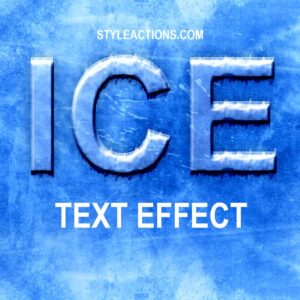
Photoshop action-style product that produces an icy / frosted text effect using an editable smart-object PSD; open the smart object, replace text and save to apply the effect. Includes a layered PSD and a readme with usage steps.
-
$6.99
Photoshop action packaged as a layered PSD with a Smart Object that turns photos into an impressionist, brush-stroke painterly portrait. Readme notes require RGB, 8‑bit images and the English version of Photoshop — open the Smart Object, paste your photo and save.
-

$6.99
Photoshop action packaged as a Smart Object PSD that maps a photo into a repeating knitted-stitch texture; open the Smart Object, paste your RGB 8‑bit photo and save to apply the effect. Readme notes require English Photoshop and 8‑bit RGB images.
