Showing 121–140 of 196 resultsSorted by price: low to high
-

5,00 €
Photoshop action packaged as a PSD that applies a high-contrast, cinematic ‘mythic’ look with particle/spark accents and vignette; includes a Smart Object PSD sample and requires Photoshop (English), RGB 8-bit and replacing the Smart Object photo.
-

5,00 €
A Photoshop action package for producing neon sign–style glowing effects; includes a PSD with a Smart Object where you place your photo and save to apply the effect. Readme notes: image must be RGB, 8‑bit and used in English Photoshop.
-

5,00 €
Photoshop ‘Neon Text PS Action’ package that includes a Smart-Object PSD for editable neon-style text; open the PSD, edit the Smart Object text and save to apply the effect as described in the readme.
-

7,00 €
Editable layered PSD flyer template for New Year celebration events, with smart-object main image, master color/contrast adjustment groups, multiple preinstalled color options and an included Facebook preview PSD. Uses the free Nexa font and is set up with bleed for print.
-
7,00 €
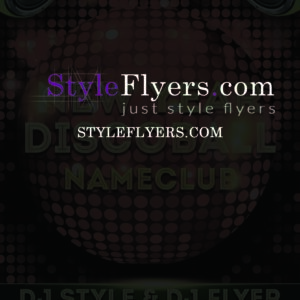
Layered, print-ready PSD flyer template for New Year / disco-style parties with a disco ball theme and smart-object main image placeholder; includes color option groups and uses free Intro Inline/Intro fonts.
-

7,00 €
Layered, print-ready PSD flyer template for New Year/NYE events with an editable smart-object main image, pre-installed color option groups, master contrast/color adjustments and organized color-coded layers. Includes reference to the free HansHand font and 0.25 bleed settings.
-

7,00 €
Photoshop PSD template that provides an oil-paint style effect via a Smart Object workflow; open the Smart Object, place your photo and save to apply the effect (Readme includes usage notes).
-

5,00 €
A Photoshop action package that produces an oil-painting look and includes a layered PSD Smart Object template; workflow requires opening the Smart Object and pasting your photo. Readme notes: image must be RGB, 8‑bit, and used with the English version of Photoshop.
-
7,00 €
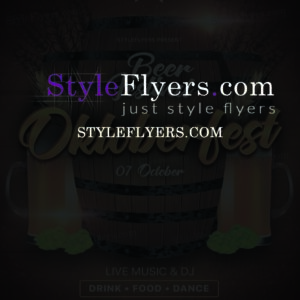
Layered PSD flyer template for an Oktoberfest/beer-festival event; includes a Facebook-sized PSD and editable smart-object for swapping the main (blurred) image, plus color-option groups and master adjustment layers. Free fonts used are listed in the readme (Flaming; SF UI Display).
-
7,00 €
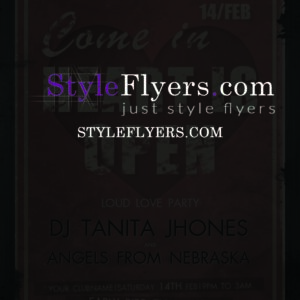
Layered, print-ready flyer template (plus a Facebook-sized PSD) named “open heart”; editable via smart objects and color option groups, includes master adjustment layers and uses AG_futura and Impact fonts. Organized, color-coded layers and a bleed are provided for print and social use.
-

5,00 €
A Photoshop action that creates a paint-style effect; includes a PSD with a Smart Object where you place your photo. Requires Photoshop (English), RGB color mode and 8‑bit images.
-

5,00 €
Photoshop action designed to give photos a pastel, soft-toned look; package includes a PSD Smart Object sample and a Readme. Requires Photoshop (English), images in RGB and 8-bit and uses a Smart Object replacement workflow.
-

5,00 €
Photoshop action package that creates a pencil-sketch look for photos and includes a PSD with a Smart Object where you paste your image before saving/running the action. Readme notes require an RGB, 8‑bit image and English Photoshop.
-

5,00 €
Photoshop action package titled ‘Perfect Painting’ that applies a painting-style effect to photos and includes a PSD with a Smart Object for inserting source images. Readme notes require RGB, 8‑bit images and the English version of Photoshop; instructions tell you to open the Smart Object and paste your photo, then save to apply the effect.
-

5,00 €
A Photoshop action package that uses a layered PSD with a Smart Object to apply photo effects; readme instructs opening the Smart Object and pasting your photo. Tested on English Photoshop CS4/CS5/CS6/CC+ and requires RGB, 8‑bit images.
-

5,00 €
A Photoshop PSD ‘action’ template that applies a pink duotone-style color effect via a Smart Object — paste your RGB 8‑bit photo into the supplied smart-object layer and save to apply the effect.
-

5,00 €
Layered PSD that applies a pink duotone styling via a Smart Object workflow; open the PSD, replace the Smart Object contents with your RGB 8-bit photo and save to apply. Readme notes require RGB, 8-bit, and the English version of Photoshop.
-

5,00 €
A Photoshop action package (title indicates PS action) that uses a layered PSD with a Smart Object — replace your photo inside the Smart Object, save, and run the action to produce a pop-art-style result. Readme includes basic usage steps and Photoshop requirements.
-

5,00 €
A set of Photoshop actions intended for portrait photos; includes a layered PSD with a Smart Object to insert your photo. Readme notes require RGB 8‑bit images and the English version of Photoshop and explains inserting the photo into the Smart Object.
-

5,00 €
Photoshop action packaged with a PSD that uses a Smart Object to apply a faded, matte-style photo effect; open the Smart Object, paste your image and save to apply. Includes a PSD file and a readme with usage instructions.
