Vintage Matte Photoshop Action
$6.99Photoshop action (provided as a PSD) that applies a vintage, matte-style toning via a Smart Object workflow. Requires RGB, 8‑bit images and the English version of Photoshop.

Showing 141–160 of 163 resultsSorted by price: low to high

Photoshop action (provided as a PSD) that applies a vintage, matte-style toning via a Smart Object workflow. Requires RGB, 8‑bit images and the English version of Photoshop.

Photoshop action packaged as a Smart Object PSD that produces a vintage, matte, desaturated film look for portraits; requires Photoshop (English), RGB and 8‑bit images — open the Smart Object and paste your photo.

Layered PSD flyer template for vintage/night events with editable smart objects, master adjustment layers and multiple color option groups; includes a Facebook cover PSD and uses the free ‘Franchise’ font. Well-organized, color-coded layers and instructions provided in the readme.

A Photoshop PSD template that applies a vintage/old-photo look using an editable Smart Object; open the Smart Object, paste your RGB 8‑bit photo and save. Readme notes require Photoshop English version and RGB 8‑bit images.

Photoshop action packaged with a PSD that uses a Smart Object—replace your RGB 8‑bit photo in the Smart Object to apply a vintage paint-style effect; requires the English version of Photoshop. Readme included with usage notes.

A Photoshop action package (includes a Smart Object PSD) that converts portraits into a vintage, painted look with canvas/aged texture and retro colour grading; requires RGB 8‑bit and the English version of Photoshop. Replace the Smart Object photo and save to apply the effect.

Photoshop action packaged as a Smart-Object PSD that converts portraits into a warm, vintage painted look; includes a Readme with usage steps and requires RGB 8-bit images and the English version of Photoshop. Apply by opening the PSD’s Smart Object, pasting your photo and saving to run the effect.

Layered, print-ready PSD flyer template titled “Vintage party” with a smart-object main image, pre-installed color option groups and adjustment layers; organized with color-coded groups and named layers for easy editing. Includes a preview PSD and readme with font references and instructions.

Photoshop action package that produces a vintage, worn-film black-and-white look using grain, dust/scratches and edge damage; supplied with a Smart-Object PSD template and a Readme. Designed for use on RGB 8-bit images (open photo, paste into the Smart Object and save).

Photoshop action that creates a vintage/antique sepia look with scratches, dust and vignette; includes a layered PSD and preview. Requires RGB 8‑bit images and uses a Smart Object workflow (English Photoshop recommended).

Photoshop action that applies a vintage film-style treatment (grain, scratches, sepia/green cast and vignette) using a Smart Object workflow; requires Photoshop (English) and RGB 8-bit images. Archive includes a PSD sample/Smart Object.

A vintage-style Photoshop action packaged as a PSD with a Smart Object; applies a film-like, grainy, faded color grade suitable for portraits. Requires Photoshop (English), RGB 8‑bit images — follow the included Readme to replace the Smart Object photo.

A set of Photoshop actions focused on creating vintage/retro photo looks; includes a PSD Smart Object template and requires RGB 8‑bit images and the English version of Photoshop. Instructions in the Readme explain opening the Smart Object and placing your photo into it.

A set of Photoshop actions titled for producing vintage/retro photo looks; package includes a Smart Object PSD — user is instructed to place their RGB 8‑bit photo into the Smart Object. Requires the English version of Photoshop.

A Photoshop action that applies a warm, faded vintage/film-style look with soft vignette, grain and a light border; archive includes a sample PSD (Vintage.psd).

A PSD template/action that creates a vintage pink ‘old’ photo effect using a Smart Object; open the Smart Object, paste your photo and save. Requires RGB, 8-bit images and the English version of Photoshop (instructions included in Readme).

A Photoshop action packaged as a Smart-Object PSD that produces a sepia-toned, distressed film look with scratches and grain; replace the Smart Object with your RGB 8‑bit photo and save to apply. Readme notes require Photoshop (English), RGB and 8‑bit mode.
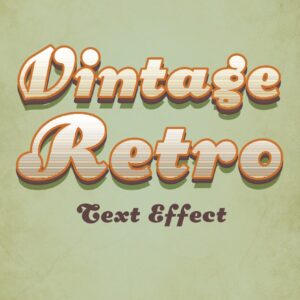
Editable Photoshop PSD text-effect that uses a Smart Object to apply a vintage, layered 3D retro styling; replace text inside the Smart Object and save to update the effect.

A Photoshop action packaged with a PSD that uses a Smart Object to apply a vintage sepia toning to photos; the readme instructs using RGB, 8‑bit images and the English version of Photoshop. The package contains a PSD (Smart Object) and a Readme.txt with usage steps.

Layered Photoshop PSD text-effect template that applies a vintage/retro style to text; edit the included Smart Object to replace text and save to update the effect. Supplied as a PSD file for export to web or print.
Notifications