Burnt Wood Text Effect
$8.00Layered Photoshop .psd text effect that applies a burnt/charred wood look to typography; edit the included Smart Object to replace the text. Readme instructs to open the Smart Object, type your text and save.

Showing all 9 resultsSorted by price: low to high
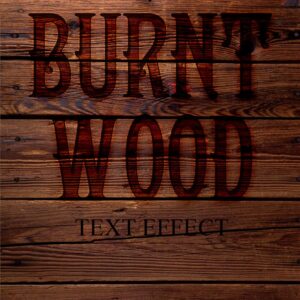
Layered Photoshop .psd text effect that applies a burnt/charred wood look to typography; edit the included Smart Object to replace the text. Readme instructs to open the Smart Object, type your text and save.

A Photoshop action packaged as a PSD with a Smart Object placeholder to apply exposure/lighting adjustments. Requires English Photoshop, an image in RGB color mode and 8‑bit color; open the Smart Object and paste your photo before saving.

High-resolution fire/flames overlay PNG that adds realistic flame and ember particles to photos and layouts; drag the overlay onto your image and set the layer blending mode to Screen or Overlay. Preview indicates a 5000 x 3000 px raster overlay.

Layered Photoshop (PSD) text effect that applies a realistic neon-sign glow to editable text via a Smart Object; open the PSD, edit the Smart Object text and save. Included readme contains basic usage steps.

Photoshop action packaged with a Smart‑Object PSD that applies realistic vertical rain streaks and a moody atmospheric look (visible reflection/wet effect). Requires RGB 8‑bit and the English version of Photoshop; Readme included.

Editable layered PSD flyer template titled “real guitar” intended for music/gig promotion; includes smart-object photo placeholder, organized color-option groups and master adjustment layers, and uses Futura_Book-Bold and Myriad Pro.

A Photoshop action for adding falling snow and a wintry atmosphere; supplied with a PSD (Smart Object) template and a Readme. Requires English Photoshop, RGB and 8‑bit images — open the Smart Object, paste your photo and save to apply the effect.

Layered PSD text-effect template that turns editable Smart Object text into a glossy water/liquid style and includes scattered water droplet decorations; open the Smart Object, replace text and save to apply. Intended for Photoshop (see included PSD and Readme).

Photoshop action that simulates a wet-glass/raindrop effect using a Smart Object; package includes a sample PSD and a Readme with usage steps (requires RGB, 8‑bit and English Photoshop).
We noticed you're visiting from United States (US). We've updated our prices to United States (US) dollar for your shopping convenience. Use Australian dollar instead. Dismiss
Notifications