Chrome Light Text Effect
$9.99A Photoshop PSD text-effect template that applies a chrome, light-reflective finish to editable text via a Smart Object—open the PSD, edit the Smart Object text and save to update the effect.

Showing all 9 resultsSorted by price: low to high
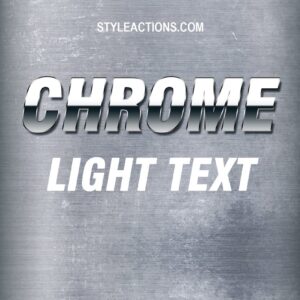
A Photoshop PSD text-effect template that applies a chrome, light-reflective finish to editable text via a Smart Object—open the PSD, edit the Smart Object text and save to update the effect.
Photoshop action that turns portraits into a comic-book / pop-art style using halftone dots, bold outlines and saturated color; includes a PSD smart-object template—open the Smart Object, replace your photo and save to apply. Readme requires RGB, 8-bit and English Photoshop.

A Photoshop PSD action that turns photos into a hand-drawn pencil/sketch look using a Smart Object; requires RGB, 8‑bit images and the English version of Photoshop. Install/open the PSD, replace the Smart Object photo and save to apply the effect.

Layered PSD flyer template for promoting guest DJs and club nights with a neon-style look; includes editable text, smart-object image placeholder, color option groups, print bleed and a Facebook-sized preview. Free font names (Nexa, SF UI Display) and organized layer structure are listed in the readme.

Layered PSD that applies a pink duotone styling via a Smart Object workflow; open the PSD, replace the Smart Object contents with your RGB 8-bit photo and save to apply. Readme notes require RGB, 8-bit, and the English version of Photoshop.

A Photoshop PSD action/template that converts photos into a realistic pencil-sketch look using an editable Smart Object; requires RGB, 8-bit images and the English version of Photoshop. The package is delivered as a layered PSD with sketch-style strokes and textures.

Layered PSD flyer template for promoting striptease/adult club nights and related party events; includes editable smart-object image placeholder, master color/contrast adjustments, pre-installed color option groups and a separate Facebook cover PSD. Layers are color-coded and named for easy editing.

PSD Photoshop action that applies a vintage/retro look to photos via a Smart Object; requires Photoshop (English), RGB color mode and 8‑bit images — open the Smart Object, paste your photo and save. The preview shows film scratches, grain and faded warm/cool colour casts.

Layered Photoshop PSD that applies a vintage/retro halftone and sepia portrait effect via a Smart Object; open the Smart Object, paste your photo, save to apply the effect (requires RGB, 8‑bit, English Photoshop).
Notifications