3D Metal Text Effect
$8.00Layered Photoshop PSD text effect that creates an editable 3D metal look; open the Smart Object, replace your text and save to apply the effect.

Showing 1–20 of 142 resultsSorted by price: low to high

Layered Photoshop PSD text effect that creates an editable 3D metal look; open the Smart Object, replace your text and save to apply the effect.

A Photoshop action that creates a red-cyan 3D/anaglyph channel-split effect using a Smart Object workflow; includes a sample layered PSD and a Readme with usage steps.

Layered Photoshop PSD using a Smart Object to create an editable 3D diamond-plate/metal text effect; update the text by opening the Smart Object and saving. Supplied files: Readme.txt and the editable PSD.

Layered Photoshop PSD text-effect that uses a Smart Object to create ornate, metallic 3D letters with inner distressed texture and embers/lighting accents; edit text via the Smart Object and save. Includes a Readme with brief instructions.

A Photoshop PSD text-effect template that applies a 3D-style appearance via an editable Smart Object—open the PSD, edit the Smart Object text and save to update the effect.

Layered Photoshop PSD that applies a red-textured 3D beveled text effect via an editable Smart Object for quick replacement of copy; suited for bold headlines, posters and title graphics.

Photoshop action-style product delivered with a Smart Object PSD that converts photos into colorful, textured abstract/painterly compositions. Requires Photoshop (English) and RGB 8‑bit images — place your photo into the Smart Object and save as instructed in the readme.

A Photoshop action paired with a layered PSD (Smart Object) that turns photos into a bold, posterized cartoon/comic-style portrait. Readme notes the image must be RGB, 8‑bit and that you should open the Smart Object and paste your photo before running the action (English Photoshop required).

A Photoshop action package (with a layered PSD Smart Object) that turns photos—particularly portraits—into an abstract impressionist/watercolor painterly look. Readme notes: use RGB, 8‑bit images and work via the supplied Smart Object (English Photoshop).

Photoshop action (with a sample PSD) that converts photos into a colourful, low‑poly/abstract landscape artwork using a Smart Object workflow; requires RGB 8‑bit images and Photoshop (English).
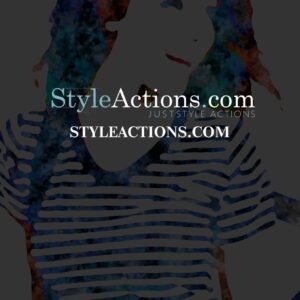
Photoshop action (delivered as a layered PSD with a Smart Object) that transforms photos into high-contrast, colorful abstract watercolor / paint-splatter portraits; requires RGB, 8‑bit images and use via the Smart Object as described in the readme.

Layered Photoshop PSD template that applies an abstract painted look to portrait photos via a Smart Object; the included Readme describes an action-based workflow and requires RGB 8‑bit images and the English version of Photoshop.

A Photoshop action-style effect supplied as a layered PSD that uses a Smart Object to convert portrait-oriented photos into a dramatic ‘annihilation’ / shatter composition with debris and grunge textures. Readme instructs replacing the Smart Object photo (RGB, 8-bit, English Photoshop).
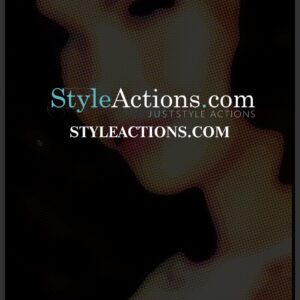
PSD formatted Smart-Object product that applies an art/pop‑art (halftone, posterized) look to portraits; follow the Readme: open the Smart Object, paste your RGB 8‑bit photo and save (requires English Photoshop).

Photoshop action that converts portrait photos into a stylized painterly/illustrative look using a Smart Object workflow; archive includes a PSD and a Readme with usage steps (RGB, 8‑bit, English Photoshop).

Photoshop action that turns photos into a high‑contrast black monochrome look with deep shadows and highlighted contours — ideal for fashion/editorial portraits, posters and album art.

Photoshop action/template that converts photos to a high-contrast black & white, halftone-style look; package includes a PSD smart-object example. Requires RGB, 8‑bit images and use of the PSD’s Smart Object (instructions provided in the Readme).

Layered Photoshop PSD text effect that applies a glossy blue glowing style to editable text via a Smart Object; preview shows a script headline, secondary serif text, lens flare and starry background with a red premium ribbon. Follow the included Readme to edit the Smart Object and replace the sample text.

A Photoshop action package that creates a brick-wall mural effect by placing your photo into a supplied PSD Smart Object; requires RGB 8‑bit and the English version of Photoshop. Includes a sample PSD to drop your photo into and save to apply the effect.
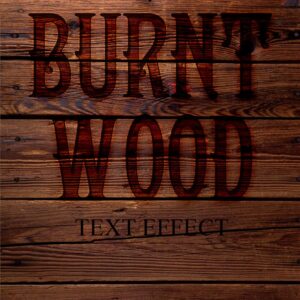
Layered Photoshop .psd text effect that applies a burnt/charred wood look to typography; edit the included Smart Object to replace the text. Readme instructs to open the Smart Object, type your text and save.
We noticed you're visiting from United States (US). We've updated our prices to United States (US) dollar for your shopping convenience. Use Australian dollar instead. Dismiss
Notifications