Showing 1–20 of 40 resultsSorted by price: low to high
-

$9.99
Layered Photoshop PSD text-effect template that produces a 3D cartoon / game-style text look; edit the Smart Object to replace the text and save to update the effect. Includes a single PSD and a readme with usage instructions.
-

$9.99
Layered Photoshop (PSD) template that creates a 3D sparkling/glitter text effect; replace text inside the included Smart Object and save to update the effect. Readme instructs opening the Smart Object, editing text, and saving.
-

$9.99
Layered Photoshop PSD text-effect template that creates a 3D sparkling/glitter typography look; edit the included Smart Object to replace text. Includes a PSD file and simple usage instructions for Adobe Photoshop.
-

$9.99
Layered Photoshop PSD that applies a 3D sparkling/glitter text effect via an editable Smart Object — replace the smart-object contents with your text and save to apply the effect.
-

$9.99
A Photoshop PSD text-effect template that applies a 3D-style appearance via an editable Smart Object—open the PSD, edit the Smart Object text and save to update the effect.
-

$9.99
Layered Photoshop PSD text effect that applies a glossy blue glowing style to editable text via a Smart Object; preview shows a script headline, secondary serif text, lens flare and starry background with a red premium ribbon. Follow the included Readme to edit the Smart Object and replace the sample text.
-
$9.99
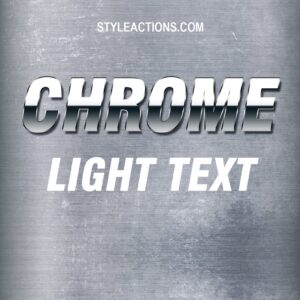
A Photoshop PSD text-effect template that applies a chrome, light-reflective finish to editable text via a Smart Object—open the PSD, edit the Smart Object text and save to update the effect.
-

$6.99
Layered Photoshop text effect (PSD with Smart Object) that turns type into a cookie/crumb textured headline; replace the text inside the Smart Object and save to update the effect. Package includes the PSD and a Readme with basic usage instructions.
-

$9.99
Layered Photoshop PSD that applies a cyberpunk-style text effect via an editable Smart Object—open the Smart Object, replace the text and save to update the effect. Includes a Readme with basic usage instructions.
-

$9.99
Layered .psd text-effect template containing an editable Smart Object — open the Smart Object, replace your text and save to update the cyberpunk-style effect.
-

$9.99
Layered Photoshop PSD text effect that applies a ‘diamond’ styling to editable text via a Smart Object; open the Smart Object, replace your text and save to update the effect.
-
$6.99
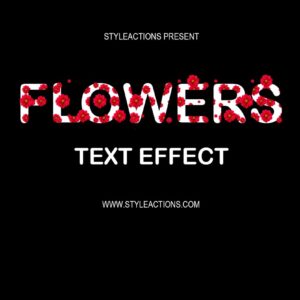
A Photoshop text-effect package (PSD with Smart Object) that creates floral-filled display text; open the Smart Object, type your text and save to update the effect. Marketed as a Photoshop action and supplied with a PSD template and Readme.
-

$9.99
Editable Photoshop PSD that applies a glass-style appearance to text using Smart Objects—open the PSD, edit the Smart Object text layer, save to update the effect.
-

$9.99
Layered Photoshop PSD with a glowing/neon text effect applied via a Smart Object; open the Smart Object, replace the text and save to update the effect. Includes a brick-wall background and a corner ribbon accent visible in the preview.
-

$6.99
A Photoshop text-effect product (packaged as a layered PSD) that creates glowing/neon-style typography — edit the text inside the Smart Object and save to apply the effect.
-
$9.99
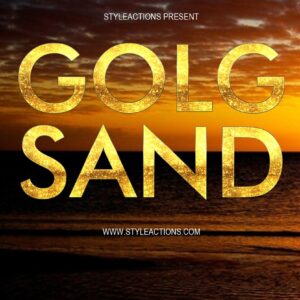
Layered Photoshop PSD text-effect template that applies a gold/sand textured finish to uppercase display text via an editable Smart Object; open the Smart Object, replace text and save to update the effect.
-

$9.99
A Photoshop PSD text-effect template that applies a gold-style layer effect to editable text via a Smart Object; open the Smart Object, replace the text and save to update the effect. Includes a layered PSD ready for use in Photoshop.
-

$9.99
Layered Photoshop PSD that provides an editable Halloween-themed text style via a Smart Object; open the Smart Object, replace your text and save to update the effect.
-

$9.99
Editable Photoshop PSD that applies a holographic-style text effect via a Smart Object; open the PSD, edit the Smart Object text and save to update the effect (see included Readme).

