“green menu psd flyer1” has been added to your cart.
View cart
Showing 1–20 of 31 resultsSorted by price: low to high
-

$6.99
Photoshop action-style product delivered as a PSD with a Smart Object to apply an autumn color grading effect. Readme instructs to use RGB, 8‑bit, English Photoshop and to paste your photo into the Smart Object and save.
-

$6.99
Photoshop action package for easy skin/beauty retouching that uses a Smart Object PSD; includes the PSD and a readme with instructions (requires RGB, 8‑bit and English version of Photoshop).
-

$6.99
Photoshop action for exposure-style adjustments that uses a Smart Object workflow — open the included PSD, replace the Smart Object with your image and save. Requires RGB color mode, 8‑bit, and the English version of Photoshop.
-

$6.99
High-resolution feather overlay supplied as a PNG (feathers overlay.png). Drag onto an RGB 8‑bit photo and set layer blending to Screen or Overlay (instructions included in Readme).
-

$6.99
Photoshop action package that produces a grass-text effect and includes a layered PSD with a Smart Object; open the Smart Object, replace your text and save to apply the effect.
-

$9.99
Photoshop PSD text-effect template that applies a grass appearance to type via an editable Smart Object; open the Smart Object, replace the text and save to update the effect (per included Readme).
-
$9.99
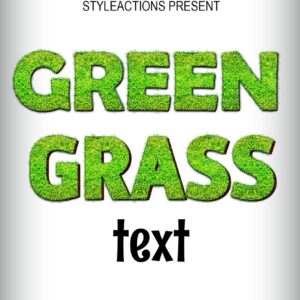
Layered Photoshop PSD that applies a realistic green-grass texture to editable text via a Smart Object — open the smart object, replace text and save. Ideal for nature-, garden- and eco-themed headlines, posters and logos.
-

$9.99
Editable green-themed menu flyer PSD with layered, color-coded groups, Master Adjustments and multiple preset color options; includes Smart Object main image replacement and a Facebook preview PSD. Free fonts used (Myriad Pro, Mf Queen Leela) are listed in the readme.
-
$6.99
High-resolution green leaf overlay (preview lists 5000 × 3000 px) for adding a botanical texture or green color wash to photos and layouts; intended to be placed over an image and used with Screen or Overlay blending modes.
-

$6.99
A Photoshop PSD action/template that applies a “mist free” (dehaze) effect using a Smart Object; open the PSD, edit the Smart Object by pasting your photo and save to apply. Requires RGB, 8‑bit images and the English version of Photoshop.
-

$6.99
Photoshop action that creates a natural bokeh/background blur effect; includes a PSD with a Smart Object where you place your photo. Readme notes require RGB 8‑bit images and the English version of Photoshop.
-

$6.99
Photoshop action package that uses a PSD with a Smart Object to apply a nature-themed enhancement to outdoor and landscape photos; requires RGB, 8-bit images and the English version of Photoshop. Includes a PSD file and a Readme with usage steps.
-
$6.99
A transparent PNG leaf overlay (stated 5000 × 3000 px) intended for use with Photoshop workflows; includes a Readme with usage steps (use RGB, 8‑bit and set layer blending to Screen or Overlay). Preview is watermarked.
-

$6.99
Photoshop action workflow delivered as a layered PSD with a Smart Object that converts photos into a painterly / oil-paint style. Requires RGB, 8‑bit images and the English version of Photoshop — replace the Smart Object image and save to apply the effect.
-

$9.99
Layered Photoshop (PSD) template that applies a realistic painting effect via a Smart Object—replace your photo inside the Smart Object to produce the effect. Readme notes Photoshop must be English, RGB and 8‑bit; archive contains the PSD and Readme (no separate .atn action file present).
-

$6.99
A Photoshop retouch action packaged with a layered PSD that uses a Smart Object; follow the included readme to place an RGB 8‑bit photo into the Smart Object and run the retouch workflow.
-

$6.99
A Photoshop retouch-action package delivered as a layered PSD containing a Smart Object for your photo plus a Readme; instructions require RGB 8-bit images and the English version of Photoshop. Use by opening the PSD’s Smart Object, placing your photo, saving, and running the included action workflow.
-

$6.99
Photoshop action package for producing a sand-text effect; includes a layered Smart-Object PSD—open the PSD, edit the Smart Object text and save to update the effect. Readme instructs opening the Smart Object and replacing the text.
-

$6.99
A set of Photoshop actions for skin retouching that includes a PSD with a Smart Object placeholder and a Readme with usage steps; requires Photoshop in RGB, 8‑bit and the English version. Archive contains Readme.txt and a ‘Skin Retouching Actions.psd’ file.
-

$6.99
Photoshop soft-light portrait action delivered as a Smart-Object PSD; replace the Smart Object with your photo and save to apply a subtle soft-light enhancement. Requires Photoshop (English), RGB color mode and 8-bit images.
