Glowing Text Effects Photoshop Actions
$6.99Photoshop actions pack titled for creating glowing neon text effects; includes an editable PSD with a Smart Object — open the smart object, type your text and save to apply the effect (see Readme).

Showing 221–240 of 543 resultsSorted by price: low to high

Photoshop actions pack titled for creating glowing neon text effects; includes an editable PSD with a Smart Object — open the smart object, type your text and save to apply the effect (see Readme).

A Photoshop glowing/neon text effect package titled ‘Glowing Text Effects Photoshop Actions1’ delivered as a layered PSD with a Smart Object for editing text (Readme instructs opening the Smart Object and replacing text). Preview shows cyan/aqua neon lettering on a black background with a red ‘Premium Text Effect’ corner ribbon.
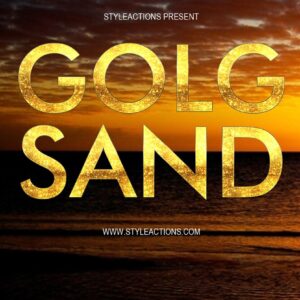
Layered Photoshop PSD text-effect template that applies a gold/sand textured finish to uppercase display text via an editable Smart Object; open the Smart Object, replace text and save to update the effect.

Layered PSD text effect that uses a Smart Object—replace the sample text inside the Smart Object and save to apply a gold metallic style (preview shows a portrait layout with gold bokeh and a premium ribbon). Readme instructs opening the Smart Object and typing your text.

A Photoshop gold-text effect delivered with a layered PSD Smart Object; replace the placeholder text in the Smart Object and save to apply a glossy metallic gold look suitable for luxury headlines and posters.

Photoshop action-style product for producing a glossy gold metallic text effect; package includes a PSD Smart Object (Gold text.psd) and simple instructions to replace text via the Smart Object. Ideal for premium headlines, posters and social media graphics.

Packaged as a ‘Gold Text PS Action’, this product includes a layered PSD with a Smart Object to create a glossy 3D gold luxury text effect; edit the Smart Object text and save to apply the effect. Readme provides brief usage instructions.

High-resolution Golden Bokeh PNG overlay (preview lists 5000 × 3000 px) that adds soft circular light highlights; intended to be placed over photos and set to Screen or Overlay blending mode. Readme notes require RGB, 8‑bit images and usage in Photoshop (English), but it also works in other editors that support layer blend modes.

Photoshop action that produces a warm golden-hour look with bokeh-style sparkles and soft glow; installs/uses a Smart Object sample PSD and requires RGB 8-bit images and the English version of Photoshop.
A Photoshop action package that applies a shiny, metallic gold text effect (premium text style) suitable for luxury branding, invitations, promotions and glossy typographic designs. Preview shows a script-style example with reflections, beveling and a soft vignette background.

Layered PSD template for producing a gold metallic look on text, suitable for premium headings, logos and promotional graphics. Preview shows a glossy gold script headline on a black background.

Photoshop action that applies a gradient duotone/two‑tone color effect using a Smart Object PSD; requires RGB, 8‑bit images and the English version of Photoshop. Includes a PSD smart‑object template for non‑destructive application.
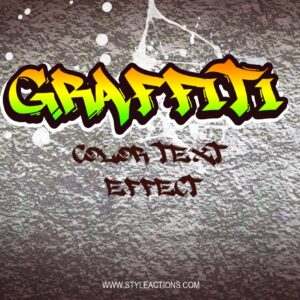
Layered Photoshop PSD text effect that applies a colorful graffiti-style treatment with paint splatters and a grungy wall background; edit the sample text by opening the included Smart Object and saving.

Editable, print-ready PSD flyer template designed for grand opening and launch events; includes layered groups, pre-installed colour options and instructions for replacing the main image. Readme lists free fonts Myriad Pro and Impact and notes organized, color-coded layers and a bleed setup.
Photoshop action packaged as a layered PSD that converts a photo into a bold graphic poster with typographic and geometric elements; replace the image via the Smart Object to apply the effect.
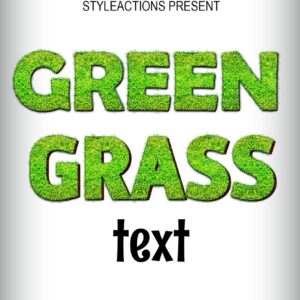
Layered Photoshop PSD that applies a realistic green-grass texture to editable text via a Smart Object — open the smart object, replace text and save. Ideal for nature-, garden- and eco-themed headlines, posters and logos.

Photoshop action that applies a heavy grunge, high-contrast textured treatment to photos; includes a PSD smart-object for swapping images. Requires Photoshop (English) and RGB 8‑bit images, per the included readme.

A Photoshop action delivered as a PSD with a Smart Object to apply a heavy grunge/distressed texture to photos; replace the Smart Object with your image (RGB, 8‑bit) and save to apply. The package includes a PSD and a Readme with usage notes.

Smart-Object PSD that applies a grunge diagonal-stripes texture/effect to photos; includes a PSD pattern file and a Readme with usage steps (requires RGB 8‑bit Photoshop and Smart Object workflow). Preview shows a distressed, sepia-toned striped treatment.
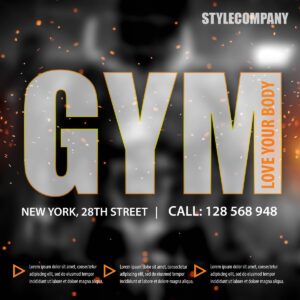
Layered PSD flyer/poster template for gym and fitness promotions featuring a large masked “GYM” headline over a dramatic black-and-white athlete photo with orange accents and particle effects.
Notifications