Retro Paint Photoshop Action
$6.99A Photoshop action titled ‘Retro Paint’ intended to create a retro/paint-style treatment; the archive contains a PSD file named ‘Retro Paint Photoshop Action.psd’.

Showing 81–100 of 151 resultsSorted by price: low to high

A Photoshop action titled ‘Retro Paint’ intended to create a retro/paint-style treatment; the archive contains a PSD file named ‘Retro Paint Photoshop Action.psd’.
Layered, editable Photoshop flyer template designed for retro-themed parties and events; includes smart-object image placeholder, adjustment layers and pre-installed color option groups. Readme lists free fonts (Billion Dreams, Myriad Pro) and notes a bleed is set for print.

Editable retro-themed party flyer PSD with layered, color-coded groups, smart-object photo replacement and pre-installed color options; includes a separate Facebook cover PSD and uses free fonts Bira and Big Noodle Titling.

Layered PSD flyer template titled ‘Retro Picnic Food Menu’ for promoting food menus or picnic-themed events; archive includes the main PSD and a Facebook preview PSD. Designed as a retro-style menu flyer template (editable in Photoshop).

Layered PSD flyer template for a retro picnic food menu; package includes a PSD formatted Facebook preview file for social use. Suited for restaurants, caterers and food event promotions.

A Photoshop action titled ‘Retro PS Action’ that applies a retro/vintage effect to photos; delivered as a .psd requiring you to paste your image into a Smart Object. Requires Photoshop in English, RGB color mode, and 8‑bit images.

Retro PS Action 2 is a Photoshop action package that uses a provided PSD with a Smart Object placeholder to apply a retro/vintage look to photos. Requires Photoshop (English), RGB color mode and 8‑bit images; open the Smart Object, paste your photo and save as instructed in the Readme.

Layered, editable Photoshop flyer template titled ‘retro’ with smart-object image placeholder (replaceable via ‘YOUR IMAGES HERE’), master adjustment layers and pre-installed color option groups; includes two PSD files and a readme listing free fonts used.

A Photoshop PSD text-effect template that uses a Smart Object for editable text to produce a retro/vintage typographic effect; open the Smart Object, edit the text, save to apply. Delivered as a layered PSD (no preview included).

Photoshop retro text effect that uses an editable Smart Object PSD to replace headline text; follow the Readme: open the PSD smart object, edit your text and save to apply the effect. The product title indicates a Photoshop action-style workflow and the archive contains a layered PSD.

A Photoshop action/text-effect package delivered as a PSD with an editable Smart Object — open the included PSD, edit the Smart Object text and save to apply a retro-style text treatment.

Layered ‘Retro Vibes’ PSD flyer template with organized, color-coded groups, smart-object image placeholder and pre-installed color option groups; includes a Facebook cover PSD and uses Olympic Branding and Arial fonts.

A Photoshop action package that applies a retro/vintage portrait look and uses a PSD Smart Object for non-destructive insertion of your photo. Requires RGB color mode, 8‑bit images and the English version of Photoshop.
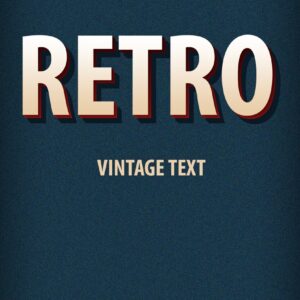
Layered Photoshop text effect (PSD) that creates a retro / vintage 3D headline style with textured background and corner ribbon; edit the text through the included Smart Object. Included file: Retro Vintage Text Effects.psd (see Readme for usage).

Photoshop action package for producing retro/vintage text effects; includes a layered PSD with a Smart Object — open the Smart Object, edit your text and save to apply the effect. Readme instructs using the Smart Object for text replacement.

Two layered PSD templates for promoting a retro/classic car club or event — includes a flyer PSD and a Facebook cover PSD (filenames: rectro_car_club.psd, retrocar_facebook_cover.psd). Designed for automotive club promotions and vintage car events.

Scratch Dust Overlay pack containing a layered PSD and a PNG overlay to add scratches and dust specks; place over your image and use Screen or Overlay blending in Photoshop. Readme advises using RGB 8‑bit and the English version of Photoshop.

A Photoshop action packaged as a Smart-Object PSD that applies a sepia color tone to photos. Requires RGB 8‑bit images and the English version of Photoshop; open the Smart Object, paste your photo, save to apply the effect.

Sepia Filter Photoshop Action (product labeled as an action) that produces a warm sepia vintage look; archive includes a PSD Smart Object sample and a Readme with usage notes (requires RGB 8-bit and English Photoshop; paste your photo into the Smart Object).

Photoshop action packaged as a PSD smart-object that applies a warm sepia/vintage tone to photos; open the Smart Object, paste your RGB 8‑bit photo, save to apply. Requires English-version Photoshop and RGB/8‑bit images.
Notifications