80s Style Text PSD Action
$9.99Layered Photoshop (PSD) template that produces an editable 80s-style text effect via a Smart Object; open the Smart Object, replace the text and save to apply the effect.

Showing all 6 resultsSorted by price: low to high
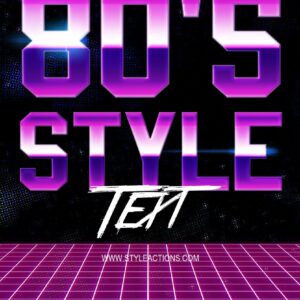
Layered Photoshop (PSD) template that produces an editable 80s-style text effect via a Smart Object; open the Smart Object, replace the text and save to apply the effect.

A ‘Cinema’ Photoshop action packaged with a layered PSD Smart‑Object template to give photos a cinematic color grade, haze/soft glow and vignette; requires RGB 8‑bit images and using the Smart Object workflow (instructions in Readme.txt).

Layered animated PSD template for club and DJ promotional posts, featuring a photo-centric layout with neon radial light effects, glowing headline text and particle accents; sized and styled for square social media posts. Includes a PSD file and a readme PDF.

A Photoshop action package named Green Cinema Action delivered as a PSD that uses a Smart Object for photo replacement. Readme notes: image must be RGB, 8‑bit and use the English version of Photoshop; open the Smart Object and paste your photo, then save to apply the action.

A Photoshop action that uses a supplied layered PSD Smart Object to turn photos into neon sign / glowing-outline portraits; follow the readme (use RGB, 8-bit, English Photoshop), place your image into the Smart Object and run the action.

A Smart-Object‑based Photoshop action (delivered as a PSD) that converts portraits into a retro movie-poster style with warm orange/beige tones, grunge paper texture, halftone/engraved look, rounded frame and dark title banners. Requires an RGB, 8‑bit photo pasted into the Smart Object (see included Readme).
Notifications