Showing 1–20 of 26 resultsSorted by price: low to high
-

$6.99
A Photoshop action paired with a PSD smart-object template that applies a 3D stereoscopic photo effect; the readme notes the photo must be RGB, 8‑bit and Photoshop in English, and instructs replacing the Smart Object with your photo and saving.
-
$6.99
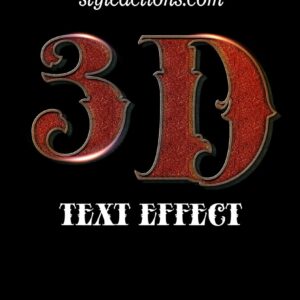
Photoshop 3D text effect delivered as a layered PSD that uses a Smart Object for editable text; the Readme instructs opening the Smart Object, typing your text and saving to apply the effect. The product title also references a PS action workflow for producing the 3D styling.
-

$6.99
A Photoshop action package titled ‘Art Photoshop Action 3’ delivered with a PSD that uses a Smart Object; the Readme instructs pasting your photo into the Smart Object and saving to apply the effect. Requires RGB, 8‑bit images and the English version of Photoshop.
-

$6.99
A Photoshop action workflow provided as a Smart-Object PSD to apply autumn/fall color toning to photos. Readme notes require RGB 8‑bit images and the English version of Photoshop; open the Smart Object, paste your photo and save to apply the effect.
-
$6.99
A Photoshop action supplied as a PSD containing a Smart Object that applies a black/monochrome effect to photos. Requires Photoshop (English), and source photos must be RGB and 8‑bit; open the Smart Object and paste your photo as instructed in the included README.
-

$6.99
Photoshop action packaged with a layered PSD (contains a Smart Object) that creates a cinematic, dramatic selective-color effect. Readme notes requirements: use the English version of Photoshop and open an RGB 8‑bit photo, place it into the Smart Object and save to apply the effect.
-

$6.99
Photoshop action packaged with a layered PSD that uses a Smart Object to apply painterly/stylized color effects to photos; requires an RGB 8-bit photo and the English version of Photoshop (CS4+ / CC+).
-

$6.99
A Photoshop action-style product delivered as a PSD that applies an “Elegant Light” look; replace your photo inside the Smart Object and save to apply the effect. Readme notes require RGB color mode, 8‑bit, and the English version of Photoshop.
-

$9.99
PSD template that applies a film-grain/noise effect using a Smart Object; open the PSD, place your photo into the Smart Object and save to apply the effect (readme included).
-

$6.99
Layered Photoshop PSD titled “Game Of Thrones” that uses a Smart Object to swap in a photo and includes readme instructions for running a Photoshop action; requires RGB, 8‑bit images and the English version of Photoshop. The archive contains the PSD and a Readme with usage steps.
-

$9.99
Layered Photoshop PSD that provides an editable Halloween-themed text style via a Smart Object; open the Smart Object, replace your text and save to update the effect.
-

$6.99
A Photoshop Action product that produces holographic pattern lines effects using a PSD with a Smart Object photo placeholder; the archive includes a PSD and a Readme. Requires RGB, 8‑bit images and an English version of Photoshop; open the Smart Object and paste your photo, then save.
-

$6.99
A Photoshop action delivered via a layered PSD that applies holographic, line-pattern overlays; you place your photo into the included smart object to generate the effect. Requires RGB, 8‑bit images and the English version of Photoshop (instructions included).
-

$6.99
Photoshop action package named ‘Light Toning’ that uses a Smart-Object PSD to apply a light toning/color grading effect. Requires English Photoshop and input images in RGB color mode and 8‑bit; open the PSD’s Smart Object, paste your photo and save to apply.
-

$6.99
A Photoshop action package (includes a PSD with a Smart Object) that automates a painted / painterly effect; follow the Readme: use an RGB 8‑bit image, open the Smart Object, paste your photo and save to apply the action. Requires English-version Photoshop.
-

$6.99
Photoshop Action titled “Old Photo Effect” supplied with a PSD that contains a Smart Object for placing your photo; readme instructs using an RGB, 8-bit image and the English version of Photoshop. Follow the PSD Smart Object to insert and save your photo to apply the effect.
-

$6.99
A Photoshop action package titled ‘Paint Photoshop Action 2’ that produces a painting-style effect; includes a PSD with a Smart Object placeholder and a Readme. Requires Photoshop (English), an RGB 8‑bit photo — workflow: open the Smart Object, paste your photo into it and save.
-

$6.99
A Photoshop action packaged as a Smart-Object PSD that applies a sepia color tone to photos. Requires RGB 8‑bit images and the English version of Photoshop; open the Smart Object, paste your photo, save to apply the effect.
-

$6.99
A Photoshop PSD action/template that produces a silver-toned monochrome portrait effect; use the included Smart Object workflow to place your RGB 8‑bit photo and save to apply the effect.
-

$6.99
Photoshop action that produces a silver/metallic text effect using an included Smart Object PSD; open the Smart Object, edit your text, save, and the effect is applied.
