Showing all 19 resultsSorted by price: low to high
-

$9.99
Editable Photoshop PSD text effect that applies an 80s neon/chrome retro style using a Smart Object—replace the sample text inside the PSD to update the effect. Includes layered PSD assets suitable for posters, flyers, album art and social graphics.
-

$9.99
Layered Photoshop (.psd) text effect using a Smart Object to produce 1980s synthwave/neon/chrome typography with a retro grid and sunset background; replace text in the Smart Object and save.
-

$6.99
A Photoshop action (includes a PSD Smart-Object) that transforms photos — especially portraits — into abstract, painterly, colorful images using brush-like textures and color overlays. Readme notes require RGB, 8-bit images and the English version of Photoshop; workflow uses a Smart Object you replace with your photo.
-

$6.99
Photoshop action packaged as a layered PSD that converts RGB 8‑bit portrait photos into a cartoon/comic-style halftone portrait using a Smart Object; instructions in the included Readme. Requires English-version Photoshop and inserting your photo into the Smart Object.
-

$6.99
Layered Photoshop text effect (PSD with Smart Object) that turns type into a cookie/crumb textured headline; replace the text inside the Smart Object and save to update the effect. Package includes the PSD and a Readme with basic usage instructions.
-

$6.99
A Photoshop PSD action/template that creates a duotone (two-color) effect and uses a Smart Object for easy photo replacement; requires an RGB 8‑bit image and the English version of Photoshop. Open the Smart Object, paste your photo, save, then run the action as instructed in the included Readme.
-

$6.99
A Photoshop action/PSD that applies a glitch/distortion look with RGB channel-split and horizontal scanline effects; works by pasting your photo into a Smart Object. Requires RGB, 8‑bit images and the English version of Photoshop.
-

$6.99
Photoshop action package that produces horizontal scanlines, RGB split/chromatic aberration and digital glitch distortion on portraits; includes a Smart Object PSD and a Readme with usage notes (requires RGB, 8‑bit and English Photoshop).
-

$6.99
Photoshop Action that generates a pixelated / mosaic square-block effect; includes a layered PSD with a Smart Object sample and a Readme. Requires RGB, 8‑bit images and the English version of Photoshop — open the Smart Object and paste your photo then run the action.
-

$6.99
A Photoshop action package that applies a pop-art portrait effect using a Smart Object PSD; includes a layered PSD and readme with usage notes (requires RGB, 8‑bit and English Photoshop).
-

$6.99
Photoshop action package (includes a PSD Smart Object) that transforms photos into colorful sand/powder splash compositions. Requires an RGB 8‑bit photo and use of the Smart Object as described in the included Readme.
-

$6.99
A Photoshop action packaged with a Smart Object PSD that automates a shatter/fragmentation photo effect; requires an RGB, 8-bit image and the English version of Photoshop. Place your photo into the Smart Object and run the action as instructed in the included Readme.
-
$6.99
Photoshop action packaged as a PSD that applies a smoky overlay / stylised portrait effect via a Smart Object; requires RGB, 8‑bit images and the English version of Photoshop. Includes a PSD (open Smart Object and paste your photo, then save to apply).
-

$6.99
Photoshop PSD action that converts photos into a layered splatter-paint portrait (includes Splatter Paint.psd and Readme). Requires placing your photo into the provided Smart Object; Photo must be RGB, 8-bit and Photoshop in English.
-

$9.99
Layered PSD text-effect template using a Smart Object: open the PSD, edit the Smart Object text and save to apply a glossy 3D “sweet” style; preview shows a decorative script and a corner ribbon accent.
-

$6.99
Marketed as a Photoshop action, the package contains a layered PSD (text effect.psd) that uses a Smart Object—open the Smart Object, edit your text and save to apply the effect. Readme provides minimal usage steps.
-
$9.99
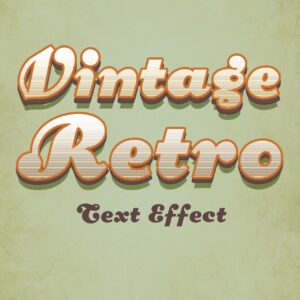
Editable Photoshop PSD text-effect that uses a Smart Object to apply a vintage, layered 3D retro styling; replace text inside the Smart Object and save to update the effect.
-

$9.99
Layered Photoshop PSD text-effect template that applies a vintage/retro style to text; edit the included Smart Object to replace text and save to update the effect. Supplied as a PSD file for export to web or print.
-
$6.99
Photoshop action packaged with a Smart-Object PSD to turn portraits into watercolor + ink sketch style illustrations; open the PSD, replace the Smart Object with your photo and run the action (requires RGB, 8‑bit, English Photoshop).
