Showing 361–380 of 497 resultsSorted by price: low to high
-
$9.99
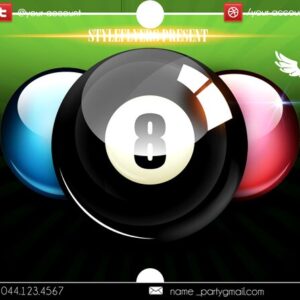
Layered, print-ready flyer PSD titled “pool” for pool- and summer-event promotions; includes editable smart-object image placeholder, organized color-coded groups, pre-installed color option groups and master adjustment layers. Readme notes use of the free Onyx font and instructions for replacing the main (blurred) image and adjusting color; archive contains the main PSD and a preview PSD.
-

$9.99
Editable layered PSD flyer template for pool-party and summer event promotion featuring a turquoise water background, large ‘POOL PARTY’ headline with inflatable-ring graphics, palms, beach ball and placeholders for event details and social icons.
-
$6.99
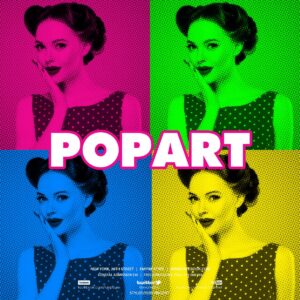
Photoshop action with a PSD Smart Object template that turns photos into a high-contrast pop‑art/halftone duotone portrait; follow the Readme to place your image into the Smart Object (requires RGB, 8‑bit and English Photoshop).
-

$6.99
A portrait-focused Pop‑Art Photoshop PSD using a halftone/duotone treatment with an editable Smart Object — paste your photo into the Smart Object (RGB, 8‑bit) and save to apply the effect; suitable for posters, flyers and social posts.
-

$6.99
A Photoshop action package (title indicates PS action) that uses a layered PSD with a Smart Object — replace your photo inside the Smart Object, save, and run the action to produce a pop-art-style result. Readme includes basic usage steps and Photoshop requirements.
-

$6.99
Photoshop action package that converts photos into pop‑art, halftone‑style portraits; includes a layered PSD with a Smart Object and a Readme. Requires Photoshop (RGB, 8‑bit) — open the Smart Object, paste your image and save to apply the effect.
-

$6.99
Photoshop action package that converts portrait photos into a bold pop‑art poster look; includes a PSD with a Smart Object workflow. Requires RGB 8‑bit images and the English version of Photoshop — open the Smart Object, paste your photo, save, then run the action.
-

$6.99
A Photoshop Actions pack that converts photos into a pop‑art, posterized portrait style; includes a PSD sample with a Smart Object for easy photo replacement and a readme with usage notes (RGB, 8‑bit, English Photoshop).
-

$6.99
Photoshop product that applies a high-contrast pop-art posterized effect via a Smart-Object PSD sample; insert your photo into the Smart Object and save (requires RGB 8-bit and English Photoshop). Includes a layered PSD and Readme with usage notes.
-

$6.99
A Photoshop action package that applies a pop-art portrait effect using a Smart Object PSD; includes a layered PSD and readme with usage notes (requires RGB, 8‑bit and English Photoshop).
-

$6.99
A Photoshop PSD template that applies a pop-art poster effect using a Smart Object workflow and an automated action; replace your photo in the Smart Object (RGB, 8‑bit) and save to apply the effect.
-

$6.99
Photoshop Pop‑Art action with a Smart‑Object PSD that converts portrait photos into a halftone, posterized pop‑art look. Readme notes: use English Photoshop, RGB mode and 8‑bit images; open the Smart Object and paste your photo, then save to apply.
-

$6.99
PSD template that applies a pop-art style via a Smart Object workflow — open the Smart Object, paste your photo, save. Requires RGB, 8‑bit and English-version Photoshop according to the included Readme.
-

$6.99
Marketed as a ‘Pop Art Text Effect’ Photoshop action, the archive contains a layered PSD with a Smart Object for inserting editable text; the Readme instructs opening the Smart Object, typing your text and saving to apply the effect. Note: the archive does not include a separate .atn action file.
-

$6.99
Photoshop action that converts photos into a Warhol-style pop-art / halftone poster look; includes a PSD smart-object sample and requires RGB 8‑bit images and the English version of Photoshop. Install the action, open the provided PSD smart object, paste your photo and save to apply the effect.
-

$6.99
Photoshop action workflow that converts portrait photos into a painterly oil-paint style using a Smart Object PSD; includes an example PSD and instructions for replacing the Smart Object. Requires RGB, 8-bit Photoshop (English).
-
$9.99
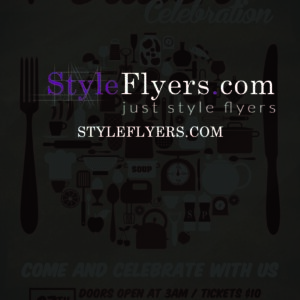
Layered PSD flyer template for potluck and casual food events, includes editable smart-object image placeholder, color option groups and master adjustment layers; package also contains a Facebook cover PSD and uses free fonts Bira and Komika. PSD is set up with bleed (0.25).
-

$9.99
Editable layered PSD flyer template named “Princess” (includes Princess.psd and facebook_prin.psd). Features editable main image smart-object, color/contrast adjustment layers and multiple preinstalled color option groups; uses free fonts Myriad Pro, Pushkin and Amadeus.
-

$9.99
Square animated social-post template in layered PSD format for promo/sale announcements (1000 x 1000 px). Includes editable hanging tag, doodle decorations, QR code and social icons for quick social media exports.