Low Poly Action
$6.99Photoshop action that converts photos into a low‑poly/faceted geometric look using a Smart Object — requires RGB, 8‑bit images and the English Photoshop version; open the Smart Object, paste your photo and save.

Showing 61–80 of 141 resultsSorted by price: low to high

Photoshop action that converts photos into a low‑poly/faceted geometric look using a Smart Object — requires RGB, 8‑bit images and the English Photoshop version; open the Smart Object, paste your photo and save.

Photoshop action that applies magical sparkles, bokeh and star-like glitter to portraits and photos; preview shows a winter/holiday portrait example. Includes a layered PSD sample and requires RGB 8-bit images and Smart Object workflow per the readme.

Photoshop matte-effect asset that applies a muted, low-contrast finish; delivered with a PSD example using a Smart Object and a Readme. Requires RGB, 8‑bit and the English version of Photoshop.

Photoshop action packaged with a PSD smart object that converts photos into a vibrant modern-art painterly/collage look; requires an RGB 8‑bit image and English-version Photoshop — copy your photo into the Smart Object and save.
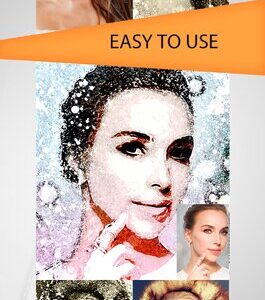
Photoshop action that turns photos into high‑contrast ink/paint splatter portraits; preview provided as a layered PSD (uses Smart Object). Requires RGB, 8‑bit images and English Photoshop per the included readme.

Layered Photoshop text-effect PSD using a Smart Object so you can replace the sample script text with your own; produces a colorful, retro 3D script headline over a radial sunburst background. Includes a Readme with simple Smart Object editing instructions.

Square animated Mother’s Day social-media post template in layered PSD with a colorful floral border, central mother-and-child illustration, ribbon banner and editable text placeholders for event details. Designed for Instagram/Facebook/Twitter promotional or greeting posts.

Smart-Object Photoshop action (provided as a PSD) that generates motion-trail and speed-streak effects around a cutout subject. Open the Smart Object, paste your photo, save, then run the action as described in the included Readme.

Photoshop action that generates horizontal motion trails and blurred streaks to make subjects appear fast and dynamic; supplied with a PSD Smart Object — paste your photo into the Smart Object, save and run. Requires RGB, 8‑bit and the English version of Photoshop.

Photoshop Smart-Object PSD that applies a dotted halftone/mosaic effect to photos — open the included PSD, replace the Smart Object with your RGB 8-bit photo and save to apply the effect (instructions in Readme).

Photoshop action that converts photos into a dotted mosaic / halftone portrait; includes a layered PSD Smart Object for easy image replacement. Requires RGB, 8‑bit images and the English version of Photoshop (usage steps documented in the included readme).

Photoshop action package delivered as a layered PSD with a Smart Object to transform photos into a stylized oil-painting portrait. Readme notes: use RGB, 8‑bit images and the English version of Photoshop; open the Smart Object and paste your photo, then save.

A Photoshop action with a PSD smart-object template that converts photos into a painterly, brush-stroke portrait effect. Readme notes: use RGB 8‑bit images and the English version of Photoshop — open the Smart Object, paste your photo and save to apply the effect.

Photoshop action package that produces a painted / cartoon-style portrait look using a Smart Object PSD; designed for portrait photos and quick stylised retouching. Readme notes require RGB, 8-bit images and the English version of Photoshop; open the PSD’s Smart Object and paste your photo, then save.

Photoshop action that applies a pastel rainbow colour wash and soft glowing look to portraits; requires an RGB 8‑bit image and uses a Smart Object PSD (sample included). Readme notes to run in the English version of Photoshop.

Layered Photoshop flyer template named “pink cloud PSD flyer” (archive contains two .psd files and a readme .pdf). Suitable as a pink, cloud-themed editable flyer for print or digital promotions.

Photoshop action that applies a pink/magenta duotone look using a Smart Object PSD; includes a sample PSD and Readme. Requires RGB, 8‑bit images and the English version of Photoshop.

Layered PSD that applies a pink duotone styling via a Smart Object workflow; open the PSD, replace the Smart Object contents with your RGB 8-bit photo and save to apply. Readme notes require RGB, 8-bit, and the English version of Photoshop.

PSD-based Photoshop action that applies a pink duotone/tint and a promotional-style black headline banner; replace the Smart Object content with your RGB 8‑bit photo and save. Readme notes require English Photoshop and an RGB 8-bit image.

A Photoshop action named “Pink Tone” delivered with a PSD containing a Smart Object; replace your image in the Smart Object to apply a pink tone. Readme notes require RGB, 8‑bit and the English version of Photoshop.
Notifications