Golden Light Photoshop Action
$6.99Photoshop action that produces a warm golden-hour look with bokeh-style sparkles and soft glow; installs/uses a Smart Object sample PSD and requires RGB 8-bit images and the English version of Photoshop.

Showing 381–400 of 1116 resultsSorted by price: low to high

Photoshop action that produces a warm golden-hour look with bokeh-style sparkles and soft glow; installs/uses a Smart Object sample PSD and requires RGB 8-bit images and the English version of Photoshop.
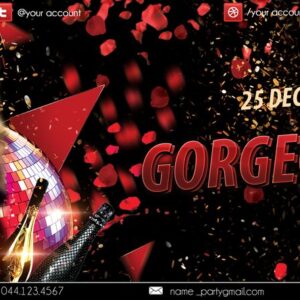
Layered, print-ready Photoshop flyer template geared toward beauty/fashion promotions with an editable main image (smart object), editable text and multiple pre-set color option groups; includes two PSD files and uses Eurofighter Semi-Italic and Swis721 Blk BT fonts. The PSD is organized with color-coded groups and contains master adjustment layers for contrast and color balance.

Layered PSD designed to convert portraits into a vintage, painterly painting look; includes a Smart Object photo placeholder and a readme with instructions to place your photo (RGB, 8‑bit) and run the action workflow.

A Photoshop action that converts photos (recommended via Smart Object) into a vintage, painterly portrait with canvas-like texture and subtle vignette. Requires RGB, 8‑bit images and the English version of Photoshop; includes a PSD Smart Object for inserting your photo.

A Photoshop PSD designed to apply a gradient-style effect using a Smart Object workflow; open the Smart Object, paste your photo and save. Readme notes require RGB color mode, 8‑bit images and the English version of Photoshop.

Photoshop action that applies a gradient duotone/two‑tone color effect using a Smart Object PSD; requires RGB, 8‑bit images and the English version of Photoshop. Includes a PSD smart‑object template for non‑destructive application.

Single PNG gradient overlay designed to add a magenta-to-blue color wash to photos; drag the PNG over your image and set the layer blending mode to Screen or Overlay (per included Readme).

Photoshop action packaged as a PSD with a Smart Object for applying a two‑tone gradient/duotone color wash to photos; replace the Smart Object with your RGB (8‑bit) photo and save to apply. Readme notes require English Photoshop and an RGB 8‑bit image.

Photoshop action packaged with a PSD Smart Object that applies a multi-colour gradient/duotone colour wash to photos; requires RGB, 8‑bit images and use of the Smart Object as described in the Readme.

A Photoshop action package named Green Cinema Action delivered as a PSD that uses a Smart Object for photo replacement. Readme notes: image must be RGB, 8‑bit and use the English version of Photoshop; open the Smart Object and paste your photo, then save to apply the action.

A Photoshop action package titled “Green Douton” that includes a layered PSD with a Smart Object for non‑destructive application of a green-style color effect. Readme instructs using RGB, 8‑bit images and replacing the Smart Object contents with your photo.
High-resolution green leaf overlay (preview lists 5000 × 3000 px) for adding a botanical texture or green color wash to photos and layouts; intended to be placed over an image and used with Screen or Overlay blending modes.

Photoshop action that applies a grunge/distressed effect to photos and includes a PSD with Smart Object placeholders. Requires English Photoshop and RGB 8‑bit images; open the Smart Object, paste your photo and save, then run the action.

A Photoshop action that creates a grunge/distressed look for photos; usage requires placing your photo into the Smart Object and running the action (Photoshop should be English, RGB and 8‑bit).

Photoshop action that applies a heavy grunge, high-contrast textured treatment to photos; includes a PSD smart-object for swapping images. Requires Photoshop (English) and RGB 8‑bit images, per the included readme.

Layered portrait-oriented PSD flyer template with a grunge/distressed texture treatment and Smart Object photo placeholder for easy image swaps; readme includes instructions and references a Photoshop action workflow. Suitable for event, music, fashion or artistic promotional materials.

A Photoshop action packaged with a PSD Smart Object that applies a grunge/distressed texture look to photos; requires RGB 8‑bit images and the English version of Photoshop. Open the Smart Object, paste your photo, save, then run the action per the included Readme.

Photoshop action that converts photos into grunge, textured portraits using a Smart Object workflow; includes a layered PSD and instructions (requires RGB 8‑bit and English Photoshop). Ideal for posters, album covers and edgy promotional graphics.

Photoshop action titled to produce a grunge painting look and includes a PSD Smart Object template; replace the Smart Object photo to apply the effect. Readme notes require RGB 8‑bit images and the English version of Photoshop.

A Photoshop action delivered with a PSD Smart Object template that applies a grunge/distressed look to photos; instructions require an RGB 8‑bit image and the English version of Photoshop. Use by placing your photo into the Smart Object and running the action.
Notifications