Showing all 17 resultsSorted by price: low to high
-

$9.99
Editable abstract flyer template in layered PSD format; includes a Facebook preview PSD, smart-object for replacing the main (blurred) image, multiple color option groups and master adjustment layers, and print bleed setup. Free fonts used: Oduda and SF UI Display.
-

$9.99
Layered PSD flyer template for an Easter or spring party; includes editable smart-object for the main image, multiple color option groups and master adjustment layers. Uses free fonts Myriad Pro and Birch Std and is organized with color-coded groups for easy customization.
-

$9.99
Layered, print-ready PSD flyer template that includes a Facebook cover PSD; editable text, pre-installed color option groups and a replaceable blurred main image placeholder. Uses free fonts Jane Austen, Bira and Bellerose and includes guidance in the readme for editing layers, colors and images.
-
$9.99
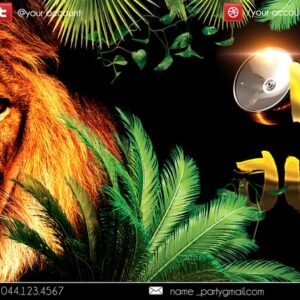
Layered, print-ready flyer PSD titled “King Of Jungle” with a replaceable smart-object main image, organized color-coded groups and multiple pre-installed color options; includes readme and free-font list.
-

$9.99
Layered Adobe Photoshop flyer template (“Las Veas”) with an editable main image (smart object), organised color-coded layers, master adjustment and pre-installed color option groups; provided as a print-ready PSD with 0.25 bleed and uses free fonts listed in the readme.
-

$9.99
Editable layered PSD flyer template titled ‘Mega Event’ designed for event promotion; includes smart-object image placeholder, master adjustment layers and multiple color-option groups and lists two free fonts (Eurofighter, Be There Soon). The PSD includes a 0,25 bleed and is organised with colour-coded groups for easy editing.
-

$9.99
Minimal Season Flyer is a layered, editable Photoshop template for seasonal promotions; it includes a separate Facebook cover PSD and uses smart objects for easy image replacement and pre-built color option groups for quick recoloring.
-

$9.99
Layered, print-ready PSD flyer template for Oktoberfest and beer-festival promotions; includes editable smart-object for the main image, color adjustment groups and a separate Facebook preview PSD. Uses free fonts Cookie and SF UI Display and is organised with named, color-coded groups for easy editing.
-

$9.99
Layered PSD flyer template named “paradise” with an editable photo placeholder (Smart Object), master color/contrast adjustment layers and multiple pre-installed color option groups; includes preview PSD and a readme listing free fonts used. Designed for easy replacement of images, text and colors.
-

$9.99
Layered Photoshop (PSD) flyer template titled “Spring Fest” for promoting spring/seasonal events; archive includes the main flyer PSD and a Facebook preview PSD for social use. Designed as an editable starting layout with text and layered groups for event details and calls to action.
-

$9.99
Layered, print-oriented PSD flyer template with organised, color-coded groups, smart-object photographic placeholder and multiple pre-installed color option groups for quick customization; includes readme with font and editing instructions.
-
$9.99
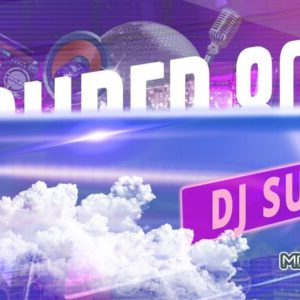
Pack includes layered PSD flyer template(s) and a Facebook-optimized PSD plus JPG previews, intended as editable starting files for promotional print flyers and social posts.
-

$9.99
Package includes two editable layered PSD templates (a flyer and a Facebook cover) plus a PDF readme listing required fonts. Designed as editable print and social-media assets for event or promotional use.
-

$9.99
Layered, print-ready PSD flyer template (includes a separate Facebook cover PSD) with editable smart-object for the main image, preinstalled color option groups and adjustment layers; uses Chopin Script and Bebas Neue and is organized with color-coded groups for easy customization.
-

$9.99
Layered, print-ready PSD flyer template with editable smart-object image placeholder, master adjustment layers and multiple pre-installed color option groups; readme documents fonts and simple editing steps.
-

$9.99
Editable flyer PSD set up as a layered, color-coded file with Smart Object for the main (blurred) photo, Master Adjustments and multiple Color Options groups to change color and contrast. Readme lists included free fonts and explains how to replace the main image and adjust colors; archive contains Äscar.psd and a readme.

