Neon Sign Photoshop Text Style
$9.99Layered Photoshop PSD that applies a multicolour neon sign glow to text via an editable Smart Object — open the Smart Object, replace text and save to update the effect.

Showing 61–80 of 83 resultsSorted by price: low to high

Layered Photoshop PSD that applies a multicolour neon sign glow to text via an editable Smart Object — open the Smart Object, replace text and save to update the effect.

Layered Photoshop (PSD) text effect that applies a realistic neon-sign glow to editable text via a Smart Object; open the PSD, edit the Smart Object text and save. Included readme contains basic usage steps.

Layered, print-ready flyer PSD titled “Neon Space” featuring editable smart-object image placeholders, master adjustment layers and multiple preinstalled color option groups; fonts used are Myriad Pro and Woodwarrior. The file is organized with color-coded groups and includes bleed settings for print.

Photoshop action that creates neon-style glowing text effects (shown in cyan/blue) on dark textured backgrounds; suitable for posters, social and promotional graphics.
Photoshop action that applies a bright cyan neon-style glow to text and shapes on a dark textured background; suitable for posters, flyers and social graphics needing a high-energy neon look.

Layered Photoshop PSD text effect that applies a neon/glow look — edit the Smart Object, type your text and save to update the effect. Includes a readme with simple Smart Object instructions.

Layered Photoshop PSD that applies a neon/glow text effect editable via a Smart Object; includes a preview and a Readme with instructions to open the Smart Object, replace text and save. File in archive: “Neon text Effect.psd”.

Photoshop ‘Neon Text PS Action’ package that includes a Smart-Object PSD for editable neon-style text; open the PSD, edit the Smart Object text and save to apply the effect as described in the readme.

Layered Photoshop (PSD) file providing a neon-style text effect editable via a Smart Object — open the Smart Object, replace the text and save to update the effect.

‘Neon Text Style’ is a Photoshop neon text effect delivered as a layered PSD that uses a Smart Object—open the Smart Object, replace your text and save to update the effect. The package is presented as a PSD for quick editable neon typography mockups.

Photoshop action package that applies a neon-style glowing text effect and includes a PSD Smart Object template where you paste your text and save to update the effect. The included Readme explains opening the Smart Object and replacing text.
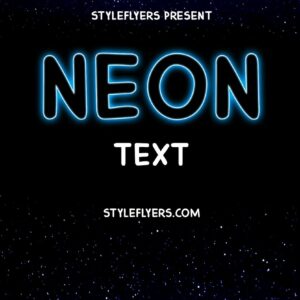
Named as a Photoshop ‘Neon Text Styles’ action, the download contains a PSD with an editable Smart Object; the Readme instructs opening the Smart Object, entering your text and saving to update the effect. Intended to produce neon-style glowing text for posters, social graphics and signage.

Layered Photoshop PSD text effect that uses a Smart Object to create white and red neon sign typography over a dark brick-wall background — edit the Smart Object text and save to apply. (Note: product listed in category ‘actions’ but archive contains a PSD Smart Object file.)

Layered Photoshop text effect that applies a neon + glitch style; replace the text inside the included Smart Object and save to update the effect. Delivered as a .psd with instructions in the Readme.

Layered, editable PSD flyer template (includes a Facebook cover PSD) with smart-object image placeholders, pre-installed color option groups and master adjustment layers; uses So brush and MVSans fonts. The PSD is organised with color-coded groups and supports replacing the blurred main image via ‘Edit Content’.
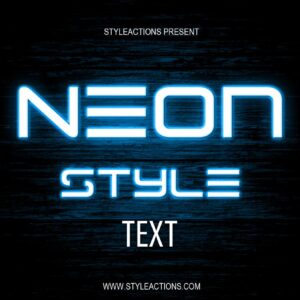
Layered Photoshop PSD that provides a neon-style editable text effect using a Smart Object—open the smart object, replace the text and save to apply the style. Includes one PSD and a brief Readme with usage steps.

Two editable PSD flyers (includes a Facebook-sized PSD) for promoting night shows and neon-style club events; organized layers, smart-object image replacement, master color/contrast adjustments and multiple pre-installed color options. Readme lists included free fonts and basic editing instructions.

Layered PSD party flyer template titled “Pink Neon Party Flyer” with editable Smart Object image placeholder, master adjustment layers and multiple pre-installed color options; uses free fonts COCOMAT and Myriad Pro and includes print bleed. The PSD is organized with color-coded groups for easy customization.

A Photoshop action package that applies a dramatic purple/blue color grade with soft glow and vignette; uses a PSD Smart Object so you copy your photo into the smart layer and save to apply the effect. Readme notes: image must be RGB, 8‑bit and run in English Photoshop.

A Photoshop action package that applies a dramatic purple/blue color grade with soft glow and vignette; uses a PSD Smart Object so you copy your photo into the smart layer and save to apply the effect. Readme notes: image must be RGB, 8‑bit and run in English Photoshop.
Notifications