3D Photoshop Action
$6.99A Photoshop action that creates a red-cyan 3D/anaglyph channel-split effect using a Smart Object workflow; includes a sample layered PSD and a Readme with usage steps.

Showing 1–20 of 90 resultsSorted by price: low to high

A Photoshop action that creates a red-cyan 3D/anaglyph channel-split effect using a Smart Object workflow; includes a sample layered PSD and a Readme with usage steps.
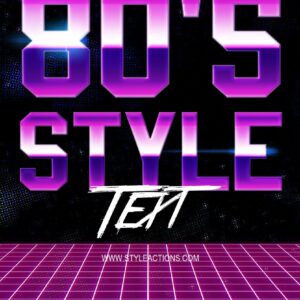
Layered Photoshop (PSD) template that produces an editable 80s-style text effect via a Smart Object; open the Smart Object, replace the text and save to apply the effect.

Photoshop action-style product delivered with a Smart Object PSD that converts photos into colorful, textured abstract/painterly compositions. Requires Photoshop (English) and RGB 8‑bit images — place your photo into the Smart Object and save as instructed in the readme.

High-resolution raster light overlay (5000 × 3000 px PNG) for adding abstract color gradients, light leaks and soft glow to photos; place above your image and set layer blending to Screen or Overlay. Readme instructs use with RGB, 8‑bit images and Photoshop (English).
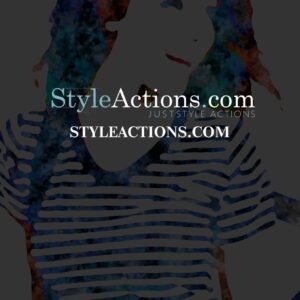
Photoshop action (delivered as a layered PSD with a Smart Object) that transforms photos into high-contrast, colorful abstract watercolor / paint-splatter portraits; requires RGB, 8‑bit images and use via the Smart Object as described in the readme.

Layered Photoshop PSD template that applies an abstract painted look to portrait photos via a Smart Object; the included Readme describes an action-based workflow and requires RGB 8‑bit images and the English version of Photoshop.
Photoshop action that turns photos into a high‑contrast black monochrome look with deep shadows and highlighted contours — ideal for fashion/editorial portraits, posters and album art.

A Photoshop action package that creates a brick-wall mural effect by placing your photo into a supplied PSD Smart Object; requires RGB 8‑bit and the English version of Photoshop. Includes a sample PSD to drop your photo into and save to apply the effect.
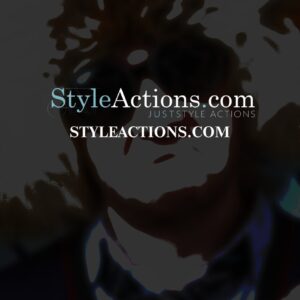
Photoshop action-style product that creates a cartoon/painted portrait look; includes a layered PSD with a Smart Object — paste your photo into the Smart Object and save. Requires RGB, 8‑bit and the English version of Photoshop (see Readme).
A Photoshop action that applies multicolour paint and splatter effects to photos (example shown on a portrait), producing a dramatic, painterly look. Packaged as an action/zip with preview artwork.

Photoshop Action (with a supplied PSD Smart Object) that converts photos into comic‑style poster artwork using halftone dots, heavy ink outlines and posterized colour blocks. Readme notes require RGB 8-bit images and placing your photo into the Smart Object before running.

Photoshop action that transforms portraits into mixed-media, paint-splatter art; includes a layered PSD sample with a Smart Object for swapping your photo. Readme notes require RGB, 8‑bit images and the English version of Photoshop.

Layered Photoshop PSD with a Smart Object text placeholder that turns your type into a faceted crystal/gem style; open the Smart Object, replace the text and save to apply the effect.
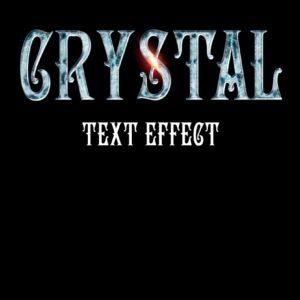
Editable Photoshop PSD text effect using a Smart Object — replace the text in the Smart Object and save to apply a crystal/ice glass style with highlights and beveling. Includes layered PSD suitable for posters, banners and titles.

A Photoshop workflow that produces a neon cyberpunk glitch look using a Smart Object PSD; paste your photo into the Smart Object and save to apply RGB-split colors, scanlines and noise. Readme requires RGB, 8-bit images and the English Photoshop version.

Photoshop action that produces a cyberpunk-style glitch look (RGB split, neon magenta/cyan grading and scanline distortion). Package includes a Smart Object PSD sample; requires an RGB, 8-bit photo and the English version of Photoshop (open the Smart Object and replace your image).

Layered Photoshop PSD that uses a Smart Object for easy text replacement to produce cyberpunk-style text effects. Open the Smart Object, edit your text and save to update the effect.
Layered Photoshop PSD template that applies a dark, dramatic ‘gloom’ look via a Smart Object photo placeholder; the included readme describes using an action and requires RGB 8‑bit photos and the English version of Photoshop. Replace your image in the Smart Object and save to apply the effect.

Layered PSD that applies a dark triangular polygon (low‑poly) pattern over photos via a Smart Object; ideal for creating moody monochrome portrait treatments, posters and abstract backgrounds.

A Photoshop action that produces a dark, high-contrast, desaturated portrait look using a Smart Object workflow; includes a PSD sample and a readme with usage steps (requires RGB, 8-bit images and English Photoshop).
Notifications