Neon Styles Photoshop Action
$6.99Photoshop action that applies a bright cyan neon-style glow to text and shapes on a dark textured background; suitable for posters, flyers and social graphics needing a high-energy neon look.

Showing 201–220 of 280 resultsSorted by price: low to high

Photoshop action that applies a bright cyan neon-style glow to text and shapes on a dark textured background; suitable for posters, flyers and social graphics needing a high-energy neon look.
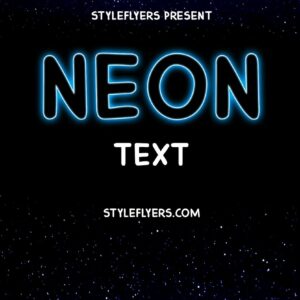
Named as a Photoshop ‘Neon Text Styles’ action, the download contains a PSD with an editable Smart Object; the Readme instructs opening the Smart Object, entering your text and saving to update the effect. Intended to produce neon-style glowing text for posters, social graphics and signage.

Layered Photoshop PSD text effect that uses a Smart Object to create white and red neon sign typography over a dark brick-wall background — edit the Smart Object text and save to apply. (Note: product listed in category ‘actions’ but archive contains a PSD Smart Object file.)
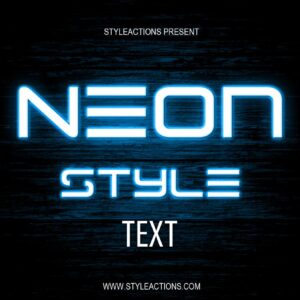
Layered Photoshop PSD that provides a neon-style editable text effect using a Smart Object—open the smart object, replace the text and save to apply the style. Includes one PSD and a brief Readme with usage steps.

Editable layered PSD flyer template for nightclub and party promotions featuring a smart-object photo placeholder, master adjustment layers and preset color options; uses Myriad Pro and Komika Axis fonts. Includes a preview PSD and is organized with color-coded groups for easy customization.

Photoshop action product that produces an old matte / vintage photo look with sepia toning, dust, scratches and a distressed paper border; package includes a PSD with a Smart Object (readme instructs to paste your photo into the Smart Object). Requires RGB, 8-bit image and English Photoshop.

A Photoshop product marketed to produce an old/painted and distorted look for photos; the download includes a PSD with a Smart Object for dropping in images (requires Photoshop English, RGB 8-bit).

Layered PSD smart-object template that applies a scratched, sepia-aged look to portraits; readme instructs replacing the Smart Object and references an action (archive includes PSD and Readme). Requires RGB 8-bit and Photoshop (English).

Photoshop action package for creating an aged/vintage photographic look (sepia tone, scratches and paper texture). Includes a layered PSD (Old Photo Effect.psd) and instructions; requires RGB 8‑bit images and use of the Smart Object as described in the Readme.

Photoshop action that applies an aged/old-tone (sepia-warm) color grade; includes a sample PSD that uses a Smart Object — replace the Smart Object with your photo, save, and play the action. Requires Photoshop (RGB, 8‑bit) and the English version of Photoshop per the readme.
Photoshop action that applies an aged/old-tone (sepia-warm) color grade; includes a sample PSD that uses a Smart Object — replace the Smart Object with your photo, save, and play the action. Requires Photoshop (RGB, 8‑bit) and the English version of Photoshop per the readme.

Photoshop action that converts photos into a layered black-and-white pencil sketch using a Smart Object; requires RGB 8‑bit images and the English version of Photoshop. Includes a PSD and Readme with usage instructions.

Photoshop action that converts photos into a layered black-and-white pencil sketch using a Smart Object; requires RGB 8‑bit images and the English version of Photoshop. Includes a PSD and Readme with usage instructions.

A Photoshop action that applies a warm, vintage/film-style color grade to photos using a Smart Object workflow; includes a sample PSD and requires RGB 8-bit images and the English version of Photoshop.

A Photoshop color-effect package delivered as a PSD Smart Object that applies a moody, cinematic color grade to portraits; follow the Readme (requires RGB, 8‑bit and English Photoshop) by pasting your photo into the Smart Object and saving.

Photoshop action that applies a pink/magenta duotone look using a Smart Object PSD; includes a sample PSD and Readme. Requires RGB, 8‑bit images and the English version of Photoshop.

Layered, print-ready flyer PSD template for lounge/club events titled ‘Pleasure Lounge1’, with editable smart-object image placeholder, organized color-coded layers, master adjustment layers and pre-installed color options; uses free fonts listed in the readme.

A pack of Photoshop actions designed to give portraits a cinematic color-graded look; workflow uses a Smart Object in the included PSD. Requires RGB, 8‑bit images and the English version of Photoshop (see Readme).

Photoshop action packaged as a Smart Object PSD that produces a matte, fashion-style portrait look and basic beauty enhancements. Readme notes: use English Photoshop, RGB and 8‑bit image, open the Smart Object and paste/replace your photo then save to apply the effect.
A Photoshop action intended to quickly apply portrait retouching and a stylized fashion/editorial color grade (visible in the supplied preview). Designed for portrait, beauty and fashion photography finishing.
Notifications