Showing all 11 resultsSorted by price: low to high
-

$9.99
Editable, layered Photoshop flyer template titled “Easter hunt” for promoting Easter egg hunts and similar spring/community events; includes smart-object image placeholder, pre-configured color option groups and free-font references (Myriad Pro, Autumn in November).
-

$9.99
Layered, editable PSD flyer template for promoting foam parties and similar events; includes smart-object photo placeholder, master color/contrast adjustments, pre-made color options and a separate Facebook cover PSD. Fonts used (Brush Script, Opificio Neue) are listed in the readme.
-

$9.99
Layered, print-ready PSD flyer template for gala/black-tie events with editable smart-object image placeholder, master adjustment/color options and an included Facebook-preview PSD; uses Powder Script Black and SF UI Display fonts.
-
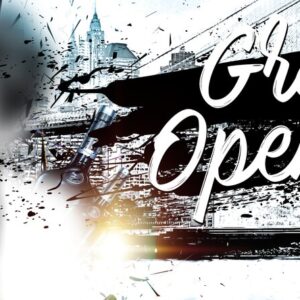
$9.99
Layered Photoshop flyer template for grand opening and launch promotions, featuring a smart-object main photo, pre-installed color option groups and master adjustment layers; PSD is organized with color-coded groups and includes a preview PSD. Free fonts referenced: Myriad Pro and Mark My Words.
-

$9.99
Layered PSD flyer template for gym and fitness promotions with replaceable smart-object image and multiple pre-installed color options; includes a Facebook-optimized PSD. Uses free fonts (NEXT ART, Ostrich Sans, FontAwesome) and organized groups plus master adjustment layers for easy edits.
-

$9.99
Layered, print-ready Halloween kids party flyer template (PSD) with editable smart-object photo placeholder, pre-built color option groups and master adjustment layers; fonts used are listed in the readme. The PSD is organised with colour-coded groups and named layers for easy customization.
-

$9.99
Layered, print-ready Photoshop flyer template for Halloween-themed events, with editable smart-object image placeholder, color adjustment layers and multiple pre-installed color options; free font references are included in the readme.
-

$9.99
Layered, print-ready Photoshop flyer template for children’s birthday parties with editable text, smart-object photo placeholder and multiple color-option presets; includes well-organised, color-coded groups and uses the free fonts Myriad Pro, Sweet Sorrow and Appetite.
-

$9.99
Layered Photoshop flyer template titled ‘Love Bash’ for party or romantic event promotion, with smart-object main image placeholder and pre-installed color option groups; uses Script MT Bold and sans fonts and includes master adjustment layers for color/contrast. Includes well-organized, color-coded groups and a preview PSD.
-

$9.99
Layered PSD flyer template for minimal party and club promotions with editable text, a smart-object placeholder for the main blurred image, and grouped color/contrast adjustment layers including pre-installed color options; fonts cited are Myriad Pro and Agency FB.
-

$9.99
Layered PSD flyer template for Sweet 16 / 16th birthday events with an editable main image (smart object), organized color-coded groups, master adjustment layers and included Facebook-sized PSD. Readme lists free fonts (SF UI Display, Big Blue Bold) and explains replacing images and changing color options.
