Showing 201–220 of 350 resultsSorted by price: low to high
-

$6.99
Photoshop Action titled “Old Photo Effect” supplied with a PSD that contains a Smart Object for placing your photo; readme instructs using an RGB, 8-bit image and the English version of Photoshop. Follow the PSD Smart Object to insert and save your photo to apply the effect.
-
$6.99
Photoshop action package for creating an aged/vintage photographic look (sepia tone, scratches and paper texture). Includes a layered PSD (Old Photo Effect.psd) and instructions; requires RGB 8‑bit images and use of the Smart Object as described in the Readme.
-
$6.99
A Photoshop action distributed as a PSD Smart Object template that applies an “old photo”/vintage look. Readme notes: requires Photoshop (English), RGB color mode, 8‑bit, and you must place your photo into the Smart Object and save to run the effect.
-

$6.99
Photoshop action package (advertised) that produces an old/aged photo look; includes a layered PSD with a Smart Object placeholder. Readme notes: use an RGB, 8‑bit image and the English version of Photoshop — open the Smart Object, paste your photo into it and save.
-
$6.99
Photoshop action package titled “Old Photo PS Action” delivered as a PSD with a Smart Object; paste your photo into the Smart Object to apply an aged/old-photo effect. Readme notes: image must be RGB, 8‑bit and run in the English version of Photoshop.
-
$6.99
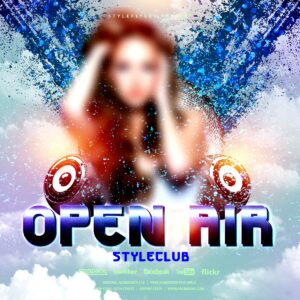
Packaged product titled “open air” containing a layered Photoshop file (open air.psd) and a readme PDF; no preview provided. Provides an editable vector-based PSD intended as a source asset for print and digital layout work.
-

$6.99
A transparent PNG leaf overlay (stated 5000 × 3000 px) intended for use with Photoshop workflows; includes a Readme with usage steps (use RGB, 8‑bit and set layer blending to Screen or Overlay). Preview is watermarked.
-

$6.99
Photoshop action package that produces a painted / cartoon-style portrait look using a Smart Object PSD; designed for portrait photos and quick stylised retouching. Readme notes require RGB, 8-bit images and the English version of Photoshop; open the PSD’s Smart Object and paste your photo, then save.
-
$6.99
Photoshop action workflow delivered as a layered PSD with a Smart Object that converts photos into a painterly / oil-paint style. Requires RGB, 8‑bit images and the English version of Photoshop — replace the Smart Object image and save to apply the effect.
-
$6.99
Photoshop action that produces a pencil-art / sketch look from photos; the included PSD uses a Smart Object — open the Smart Object and paste your photo. Requires RGB, 8‑bit images and the English version of Photoshop (instructions provided in the Readme).
-

$6.99
Photoshop actions that convert photos into a black-and-white pencil-drawing / sketch look using a Smart Object workflow; package includes a layered PSD and readme with usage notes (requires RGB, 8‑bit and English Photoshop).
-

$6.99
Photoshop action that converts photos into a layered black-and-white pencil sketch using a Smart Object; requires RGB 8‑bit images and the English version of Photoshop. Includes a PSD and Readme with usage instructions.
-

$6.99
Photoshop action that converts photos into a layered black-and-white pencil sketch using a Smart Object; requires RGB 8‑bit images and the English version of Photoshop. Includes a PSD and Readme with usage instructions.
-

$6.99
A Photoshop action-style product that produces a pencil-sketch / hand-drawn look using a layered PSD with a Smart Object; requires RGB, 8‑bit images and the English version of Photoshop (instructions included).
-
$6.99
Photoshop Action that converts photos into a textured pencil-sketch look; includes a Smart Object PSD sample and requires RGB 8‑bit images and the English version of Photoshop. Install and run the action, then paste your photo into the PSD’s Smart Object and save to apply the effect.
-

$6.99
A Photoshop action packaged as a PSD using a Smart Object to convert photos into a pencil-sketch style; requires Photoshop (English), RGB color mode and 8-bit images — open the Smart Object, paste your photo and save to apply.
-

$6.99
Photoshop action package that creates a pencil-sketch look for photos and includes a PSD with a Smart Object where you paste your image before saving/running the action. Readme notes require an RGB, 8‑bit image and English Photoshop.
-

$6.99
Photoshop action package that produces a pencil-sketch look and includes a PSD with a Smart Object for inserting your image. Requires RGB, 8‑bit images and the English version of Photoshop (see included Readme).
-

$6.99
Photoshop action that produces a pencil-sketch/hand-drawn look; delivered as a PSD with a Smart Object — replace the Smart Object with your photo to apply. Readme notes: use RGB color mode, 8‑bit images and the English version of Photoshop.
-
$6.99
Photoshop action packaged as a Smart-Object PSD that converts photos into a pencil-sketch, paper-textured look; includes a readme with usage steps (requires RGB 8-bit and English Photoshop). Open the Smart Object, paste your photo, save and run.
