Glowing Text Effects Photoshop Actions
$6.99Photoshop actions pack titled for creating glowing neon text effects; includes an editable PSD with a Smart Object — open the smart object, type your text and save to apply the effect (see Readme).

Showing 41–60 of 64 resultsSorted by price: low to high

Photoshop actions pack titled for creating glowing neon text effects; includes an editable PSD with a Smart Object — open the smart object, type your text and save to apply the effect (see Readme).

Photoshop action-oriented product (includes a PSD Smart Object) that produces a dramatic heroic “fire-and-ice” poster look with smoke, particles and glowing edges; insert your photo into the Smart Object, save, and follow the supplied instructions (requires RGB 8‑bit and English Photoshop).

Photoshop action delivered as a PSD with a Smart Object that converts portraits into horror-style glitch/distorted images with horizontal scanlines and chromatic aberration; open the Smart Object, paste your photo (RGB, 8-bit) and save. Readme includes basic usage notes and requirements (English Photoshop).

Photoshop horror action delivered with a Smart-Object PSD that converts portraits into a dark, gory horror look; includes instructions to paste your photo into the Smart Object and save. Requires RGB 8-bit images and the English version of Photoshop.
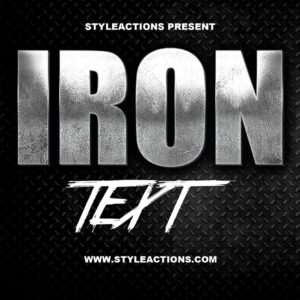
Layered PSD text-effect template that converts editable Smart Object text into a distressed metallic/iron headline with diamond-plate background; edit the Smart Object to replace text and save. Includes layered effects for quick customization.

Layered Photoshop (PSD) text-effect template that applies a metal-style treatment via an editable smart object; open the smart object, replace your text and save to apply the effect. Includes a Readme with brief usage instructions.

A Photoshop PSD text-effect that applies a metal/metallic appearance to editable text via a Smart Object—open the PSD, edit the Smart Object text and save to update. Includes a Readme with basic usage instructions.

A layered Photoshop (.psd) text-effect template that applies a metal-style appearance to editable text via a Smart Object — replace the Smart Object content with your text and save. Readme instructs opening the Smart Object, editing text, and saving.

Layered Photoshop PSD text effect using a Smart Object: edit the Smart Object with your text, save to apply a bold metallic/chrome style layered over an ember/spark background for poster or title graphics.

Photoshop action package with a layered PSD smart-object that applies a metallic, beveled text style over a dark sparks background; open the provided Smart Object, replace text, save to apply. Includes a preview showing the finished metal text effect and a Readme with usage instructions.

Layered, print-ready PSD flyer template for promoting mobile game tournaments; includes smart-object image placeholders, color-adjustment groups, pre-installed color options and uses free fonts Myriad Pro and Stencil. PSD is organized with color-coded groups and includes bleed settings for print.
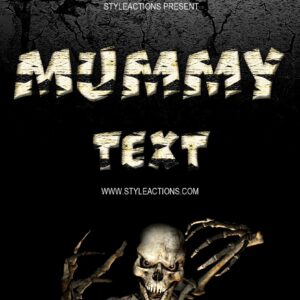
A mummy-themed Photoshop text effect provided as a layered PSD with an editable Smart Object so you can replace the sample text with your own. Readme included with simple usage steps.

Photoshop action that creates neon-style glowing text effects (shown in cyan/blue) on dark textured backgrounds; suitable for posters, social and promotional graphics.

Layered Photoshop text effect that applies a neon + glitch style; replace the text inside the included Smart Object and save to update the effect. Delivered as a .psd with instructions in the Readme.
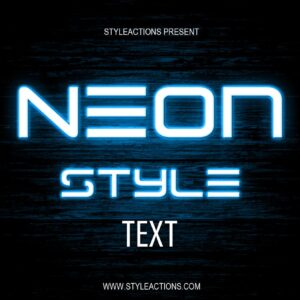
Layered Photoshop PSD that provides a neon-style editable text effect using a Smart Object—open the smart object, replace the text and save to apply the style. Includes one PSD and a brief Readme with usage steps.

Layered Photoshop (PSD) text-effect template that applies colorful smoke plumes to editable text via a Smart Object; suitable for posters, album covers and promotional social graphics.

Layered Photoshop PSD with editable smart-object text that applies a realistic fire/flame effect; open in Adobe Photoshop, edit the smart object text and save to update the effect.

Layered Photoshop (.psd) text effect that produces a chrome/metallic headline using editable Smart Objects; preview shows a honeycomb background and a red corner ribbon for promotional use.

Photoshop action packaged with a PSD Smart Object that produces a TV-style glitch/distortion effect; requires Photoshop (English) CS4/CS5/CS6/CC+ and an RGB 8‑bit image. Open the Smart Object, paste your photo, save to apply the effect.

Photoshop action that produces a television-style glitch/distortion effect using a Smart Object workflow; requires an RGB 8‑bit image and the English version of Photoshop (CS4, CS5, CS6, CC+).
Notifications