Black Effect Photoshop Action
$6.99Photoshop action that turns photos into a high‑contrast black monochrome look with deep shadows and highlighted contours — ideal for fashion/editorial portraits, posters and album art.

Showing all 9 resultsSorted by price: low to high

Photoshop action that turns photos into a high‑contrast black monochrome look with deep shadows and highlighted contours — ideal for fashion/editorial portraits, posters and album art.

Photoshop action packaged with a Smart Object PSD that applies a dark, smoky/foggy cinematic look to portraits; instructions require RGB, 8‑bit images and the English version of Photoshop — replace the Smart Object content with your photo and run the action.

Photoshop action delivered as a PSD with a Smart Object that creates a dark, high-contrast, moody portrait grade; follow the Readme to place your RGB 8-bit photo into the Smart Object and save.

Photoshop action that produces a deep, dark, high-contrast monochrome look; archive includes a PSD smart-object for replacing your photo. Requires RGB, 8‑bit image and English Photoshop; open the smart object, paste your photo and save to run the action.

Layered PSD text effect using a Smart Object — replace the placeholder text to produce a metallic, illuminated ‘extra light’ title with hexagonal background and light streaks. Requires Adobe Photoshop; open the Smart Object, edit text, save.

A Photoshop action for adding realistic fog and atmospheric haze to photos; includes a PSD Smart Object demo and requires RGB 8‑bit images and the English version of Photoshop. Ideal for quickly creating moody, cinematic scenes in urban or landscape photos.
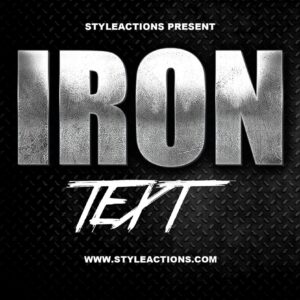
Layered PSD text-effect template that converts editable Smart Object text into a distressed metallic/iron headline with diamond-plate background; edit the Smart Object to replace text and save. Includes layered effects for quick customization.

Layered Photoshop PSD text effect that converts editable smart-object text into a realistic scratched-metal finish with embossed shading and a grunge background.

Layered Photoshop PSD text effect using a Smart Object to create a white spray-paint / grunge stencil look on a dark textured background; open the Smart Object, replace the text and save to apply the effect.
Notifications