Golden Hour Photoshop Action
5,00 €Photoshop action that creates a warm golden-hour color grade and soft glow; includes a sample PSD Smart Object and a README with usage steps (requires RGB, 8‑bit Photoshop).

Showing 141–160 of 258 resultsSorted by price: low to high

Photoshop action that creates a warm golden-hour color grade and soft glow; includes a sample PSD Smart Object and a README with usage steps (requires RGB, 8‑bit Photoshop).

Photoshop action that produces a warm golden-hour look with bokeh-style sparkles and soft glow; installs/uses a Smart Object sample PSD and requires RGB 8-bit images and the English version of Photoshop.

A Photoshop action package named Green Cinema Action delivered as a PSD that uses a Smart Object for photo replacement. Readme notes: image must be RGB, 8‑bit and use the English version of Photoshop; open the Smart Object and paste your photo, then save to apply the action.

Photoshop action for creating horror-style portraits — adds hollowed black eyes, cracked-skin veins, blood splatter and high-contrast desaturated grading suitable for Halloween promos and horror posters.

Photoshop HDR action delivered with an editable PSD Smart Object sample and readme; adds dramatic HDR-style contrast and saturated color tones suited to landscapes and sunset photos. Requires RGB 8-bit images and use of the included Smart Object workflow.

Photoshop action-style product that produces an HDR black-and-white, high-contrast look; delivered as a layered PSD with a Smart Object — open the Smart Object, paste your photo and save to apply the effect. Requires Photoshop (RGB, 8-bit) and the English version as noted in the readme.

Photoshop action package that produces an HDR-style enhancement and includes a PSD with a Smart Object for editable photo placement; requires RGB, 8‑bit images and the English version of Photoshop. Readme provides basic usage: open photo, open Smart Object, copy your photo into the Smart Object and save.

A Photoshop action workflow that creates an HDR-style, high-contrast, highly saturated look for portraits and photos via a Smart Object PSD; requires RGB 8‑bit images and the English version of Photoshop.

A PSD-based Photoshop action that applies an HDR-like, high-contrast stylized look via a smart-object; replace your photo inside the smart object and save. Readme notes require RGB 8-bit images and the English version of Photoshop.

Photoshop action that applies an HDR‑style sharpening/clarity look to photos; package includes a PSD sample and a readme with usage steps. Requires RGB, 8‑bit images and an English version of Photoshop; workflow uses a Smart Object photo placeholder (open, replace image, save).

Photoshop action-oriented product (includes a PSD Smart Object) that produces a dramatic heroic “fire-and-ice” poster look with smoke, particles and glowing edges; insert your photo into the Smart Object, save, and follow the supplied instructions (requires RGB 8‑bit and English Photoshop).
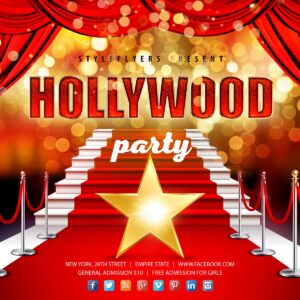
Layered PSD social-media post template with a Hollywood / red‑carpet theme (stairs, gold star, curtains and bokeh). Supplied as an animated post template in PSD format for Instagram, Facebook, Twitter and similar platforms.

Photoshop (.psd) flyer template for promoting Hollywood-themed parties; archive includes the main PSD and a Facebook-preview PSD for social-post sizing. Editable in Photoshop for event details and branding.
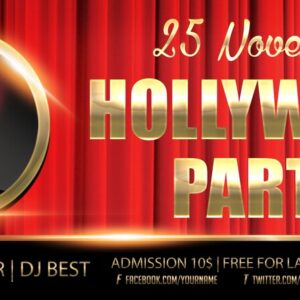
Layered, print-ready PSD flyer template titled “Hollywood party” with editable smart-object main image, master adjustment layers and pre-installed color options; uses Myriad Pro, BigNoodleTitling, Impact and Bisous fonts. The PSD is organised with color-coded groups and includes bleed for print setup.

Layered, print-ready Photoshop flyer template with a Hollywood/cinema theme — red curtain background, gold 3D headline, film camera badge and spotlight effects. Includes editable text, color option groups and a preview PSD; readme lists free fonts and instructions for replacing images and colors.

A Photoshop PSD template that applies a cinematic/film-style color grade via a Smart Object — open the Smart Object, paste your photo and save. Readme notes: use RGB 8‑bit images and the English version of Photoshop.

A Photoshop action-style PSD that applies a cinematic/filmic look via a Smart Object photo placeholder; follow the included instructions to paste your image into the Smart Object. Requires RGB, 8‑bit images and the English version of Photoshop.

Photoshop action (supplied as a PSD with a Smart Object) that applies an Instagram-style warm, soft color grade with light-leak and vignette effects; install and use by placing your RGB 8-bit photo into the included Smart Object and saving. Readme notes require English Photoshop and usage via the Smart Object in the PSD.

A Photoshop action that produces an HDR‑style, high‑contrast vivid look for landscape photos; provided as a PSD that uses a Smart Object — open your photo into the Smart Object and save. Requires RGB 8‑bit images and the English version of Photoshop (instructions in the included Readme).

A Photoshop action-style product provided as a PSD with a Smart Object that applies a light glitch / RGB-channel split distortion to photos; open your image, paste it into the Smart Object and save to apply the effect. Requires Photoshop (English), RGB color mode and 8‑bit images as noted in the readme.
We noticed you're visiting from Latvia. We've updated our prices to Euro for your shopping convenience. Use Australian dollar instead. Dismiss
Notifications